You've poured hours into perfecting your gameplay, refining your commentary, and building a community. Yet, when a new viewer lands on your Twitch channel, what's the very first thing they see before your stream even loads? Your profile. It's often an overlooked, static billboard that, when optimized, can convert a casual visitor into a loyal follower. But how do you make those banners, panels, and that tiny bio truly speak your brand?
This guide isn't about simply filling in the blanks. It's about strategically crafting your Twitch profile elements to tell your story, showcase your personality, and provide crucial information, turning your channel page into a powerful conversion tool rather than just a digital placeholder.
The First Impression Power Play: Channel Banner & Profile Picture
Think of your channel banner and profile picture as your Twitch channel's front door and welcome mat. They're the immediate visual cues that tell a visitor whether they've found a space that aligns with their interests and vibe. A cohesive design here sets the stage for everything else.
- Channel Banner: This large graphic space is prime real estate for conveying your stream's overall mood and core content. Are you a high-energy FPS player? A chill creative artist? A retro RPG enthusiast? Your banner should reflect this instantly through its color scheme, imagery, and typography. Use a high-resolution image that doesn't pixelate, and ensure any text (like your stream's tagline or main focus) is clear and readable. Remember, it's visible even when you're offline, acting as a persistent advertisement for your brand.
- Profile Picture: This small, often circular image needs to be instantly recognizable and representative. While your banner can be more detailed, your profile picture should work well even at a tiny scale. A distinct logo, a stylized avatar, or a clear, friendly photo of yourself (if you're comfortable) are all strong choices. The key is consistency with your banner and overall brand aesthetic.
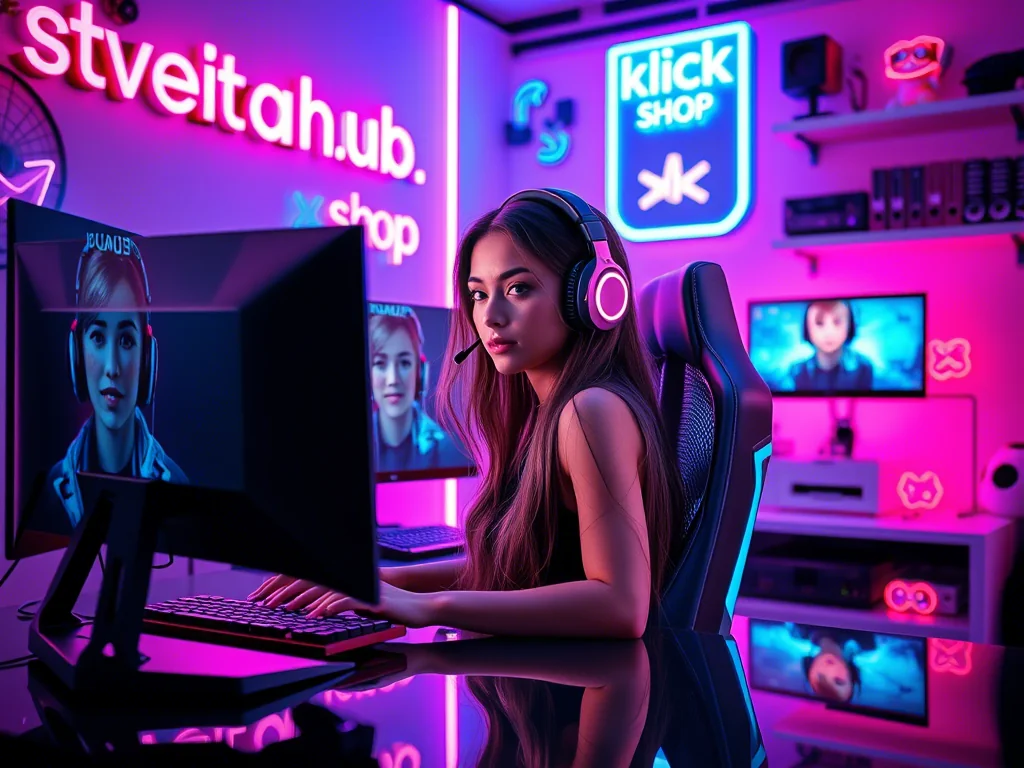
What this looks like in practice: Imagine "AetherFlow," a streamer focused on narrative-driven indie games and thoughtful discussions. Their profile picture features a minimalist, stylized abstract symbol representing flow and thought, rendered in cool blues and purples. Their channel banner extends this aesthetic with a tranquil, starry background, an ethereal font for "AetherFlow: Dive Deep, Discover Stories," and subtle hints of a fantasy landscape. The whole package immediately suggests a calm, engaging, and story-focused experience.
{ }
}
Crafting Your Narrative: The Bio & Panels
Once the visuals have hooked them, your bio and panels are where you deepen the connection and provide essential information. This is your chance to tell your story, define your community, and guide new viewers.
- Your Bio: The Elevator Pitch: This small text box directly under your stream is your concise introduction. It needs to be punchy, informative, and reflect your personality.
- Who are you? (Your streamer name, perhaps your real name if you use it.)
- What do you stream? (Specific games, creative activities, topics.)
- What's the vibe? (Chill, chaotic, educational, competitive.)
- Why should they stay? (Unique selling proposition, community focus.)
- Panels: The Detailed Storyboard: Your panels are where you expand on your bio, provide critical links, and manage viewer expectations. Each panel should have a clear purpose and be easily digestible. Use custom graphics for each panel's title to maintain visual consistency with your banner and profile picture.
Practical Panel Strategies: What to Include & How to Organize
The best panels strike a balance between providing necessary information and being visually appealing without overwhelming the viewer. Here's a framework:
- About Me / Welcome: This is your primary "story" panel. Elaborate on your bio: your streaming journey, passions outside of streaming, what makes your community unique. Make it personal and inviting.
- Schedule: Absolutely critical for viewer retention. Clearly list your streaming days and times, including your time zone. If your schedule is erratic, explain where viewers can find the most up-to-date info (e.g., Discord, Twitter).
- Socials / Connect: Link all relevant external platforms where viewers can connect with you (Twitter, Instagram, YouTube, Discord, TikTok). Use clear icons and active links.
- Rules / Community Guidelines: Set the tone for your chat and community early. Clearly state what is and isn't acceptable. This helps moderators and sets expectations for new viewers.
- Support / Donate: If you accept donations or have a merch store, this is the place to link it. Be transparent about what donations support (e.g., "helping improve stream quality" or "feeding my caffeine addiction").
- PC Specs / Gear: A common question for many streamers. Listing your setup, camera, mic, and software can save you (and your mods) from repeatedly answering in chat.
- FAQs / Commands: If you find yourself answering the same questions repeatedly, create a panel for them. This might include "What game are you playing?" or "How long have you been streaming?" You can also list common chat commands here.
Organization Tip: Arrange your panels logically. "About Me" and "Schedule" usually come first, followed by "Socials," "Rules," and then more specific or less critical information like "PC Specs" or "Support." Use consistent formatting, font sizes, and, if possible, custom graphics for each panel's title.
The Community Pulse: Common Hiccups & Solutions
Many streamers wrestle with their profile setup, often feeling a mix of excitement and frustration. A frequent concern is feeling overwhelmed by the sheer number of options and not knowing what information is truly essential versus what's just clutter. New streamers often struggle with making their profile look professional without having graphic design skills, while even established creators sometimes find it hard to maintain a consistent brand across all elements.
A common pain point revolves around the "About Me" panel, with creators unsure how much personal information to share or how to write compellingly about themselves without sounding boastful or generic. Another often-voiced issue is the struggle to keep panels updated, especially schedules or social media links, leading to outdated information.
Solutions often involve:
- Prioritization: Focus on the 3-5 most critical panels first (About, Schedule, Socials, Rules). You can always add more later.
- Templates & Tools: For design-challenged streamers, many free and paid resources offer Twitch panel templates (e.g., Canva, StreamElements, OWN3D). They provide a professional base you can customize.
- Authenticity Over Perfection: Your bio doesn't need to be a masterpiece. Be genuine. Share what makes you you. Viewers connect with authenticity.
- Regular Audits: Make it a habit to check your profile links and information every few months, or whenever there's a significant change to your stream.
Your Profile's Evolution: When and How to Revisit
Your Twitch profile isn't a "set it and forget it" component. As your stream grows, evolves, or even just as trends change, your profile should adapt. Think of it as a living document that reflects the current state of your channel.
Key Triggers for Reviewing Your Profile:
- Major Content Shift: If you switch from primarily gaming to primarily art, or focus on a new game genre, your banner, bio, and "About Me" panel should reflect this.
- Schedule Changes: Update your schedule panel immediately. Outdated schedules are a prime reason for missed viewers.
- New Social Media or Platform: Added a TikTok? Created a new YouTube series? Ensure your "Socials" panel is updated.
- Brand Refresh: Perhaps you've developed a new logo or color scheme. Apply this across all profile elements for consistency.
- Milestones & Achievements: Did you hit Partner? Celebrate a big subscriber count? Consider a temporary banner update or a mention in your "About Me" panel.
- Broken Links: Periodically click through all your panel links to ensure they're still active and correctly pointing to your content.
- Community Feedback: Are viewers frequently asking questions that could be answered in a panel? Or commenting that your profile doesn't quite match your stream's vibe? Listen and adapt.
A good cadence might be a quick check every quarter (every three months) and a more thorough review annually, or whenever a significant change occurs in your streaming journey.
2026-03-21