In the dynamic and often chaotic ecosystem of live streaming, managing chat, engaging viewers, and maintaining a positive community environment can feel like a Herculean task for even the most seasoned content creators. As channels grow, the volume of chat messages, moderation demands, and opportunities for interaction multiply exponentially. This is where streamer bots emerge as indispensable digital co-pilots, transforming the complex act of live broadcasting into a streamlined, efficient, and highly engaging experience. Far from being mere automated message responders, modern streamer bots are sophisticated tools designed to enhance every facet of a live broadcast, from rigorous moderation to interactive viewer engagement and comprehensive stream automation.
This comprehensive guide from StreamHub World delves deep into the world of streamer bots, unraveling their core features, detailing essential commands, and outlining best practices for effective chat management. We'll explore how these powerful digital assistants can free up valuable mental bandwidth for streamers, allowing them to focus on what truly matters: creating captivating content and connecting authentically with their audience.
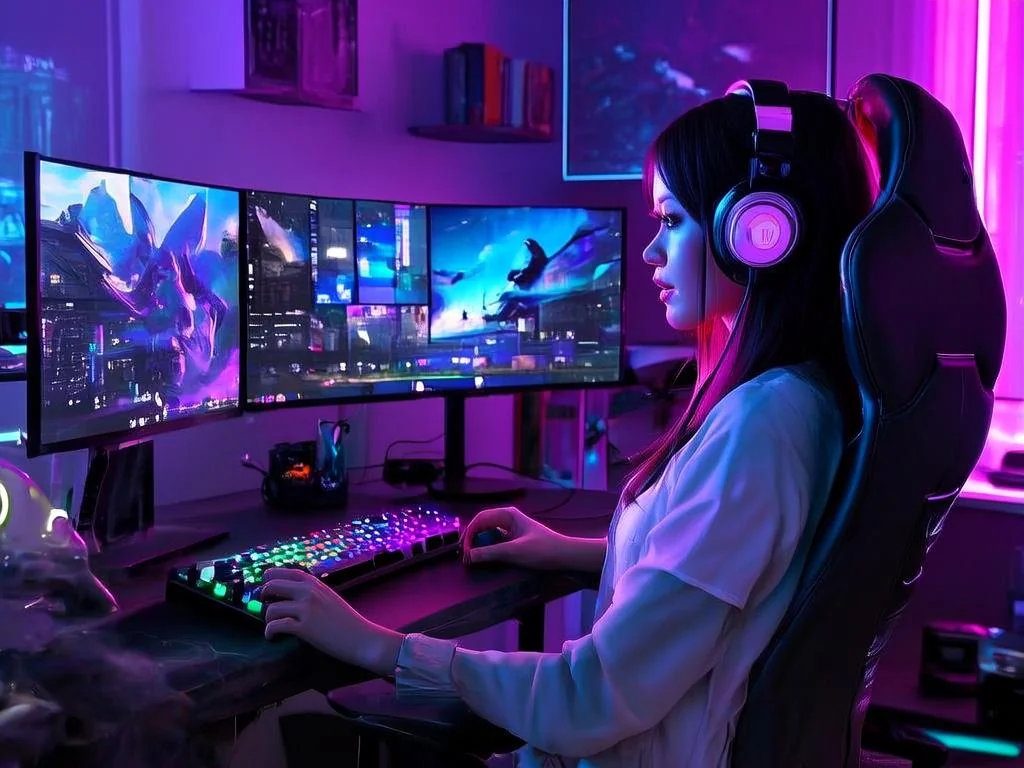
The Indispensable Role of Automation in Live Content Creation
The evolution of live streaming platforms like Twitch, YouTube Live, and Facebook Gaming has necessitated a parallel evolution in creator tools. What started as simple chat filtering scripts has blossomed into an entire suite of AI-powered and rule-based systems that perform a myriad of tasks. For a solo streamer, or even a team with dedicated moderators, the sheer volume of real-time data and interactions can be overwhelming. Streamer bots step in to fill this gap, providing:
- Consistent Moderation: Ensuring chat rules are upheld 24/7, even when human moderators are offline or overwhelmed.
- Enhanced Engagement: Facilitating interactive elements like polls, giveaways, and custom commands that keep viewers involved.
- Streamlined Information Delivery: Automatically answering common questions, promoting social media, and displaying stream uptime.
- Operational Efficiency: Automating repetitive tasks, allowing the streamer to focus on broadcasting quality.
Without the intelligent automation provided by these bots, many popular streams would quickly devolve into unmanageable environments, plagued by spam, toxicity, and missed opportunities for viewer interaction. They are, in essence, the silent architects of a well-run digital community.
Core Features That Define Modern Streamer Bots
At their heart, streamer bots are multi-functional tools, each offering a diverse array of features tailored to different aspects of stream management. Understanding these core functionalities is crucial for selecting and leveraging the right bot for your specific needs.
Advanced Moderation Capabilities
Moderation is arguably the most critical function of any streamer bot. A healthy chat environment is paramount for community growth and viewer retention. Bots excel at enforcing rules with unwavering consistency.
- Spam Filters: Automatically detect and remove repetitive messages, excessive emotes, capital letters, and other forms of chat spam.
- Link Blocking: Prevents unauthorized links from being posted, protecting viewers from malicious content and self-promotion.
- Blacklists & Whitelists: Custom lists for specific words, phrases, or URLs to either block or allow.
- Timeout & Ban Automation: Automatically apply temporary timeouts or permanent bans based on predefined rules or human moderator commands.
- Caps & Emote Limits: Configure thresholds for excessive use of capital letters or emotes to maintain readability.
- Auto-Host/Raid Protection: Tools to manage incoming raids and hosts, preventing potential "hate raids" or unwanted content.
Dynamic Engagement Tools
Beyond maintaining order, bots are powerful instruments for boosting viewer interaction and making your stream more dynamic.
- Custom Commands: User-defined commands (`!socials`, `!discord`, `!uptime`) that provide immediate information or trigger specific actions.
- Polls & Quizzes: Create real-time polls to gauge viewer opinions or quizzes for interactive fun, with results displayed instantly.
- Giveaways & Raffles: Tools to run fair and transparent giveaways, picking random winners from active chat participants.
- Loyalty Programs & Channel Points: Many bots integrate with platform-specific loyalty systems (like Twitch Channel Points) or offer their own, rewarding consistent viewers.
- Mini-Games: Simple chat-based games (e.g., arena battles, betting) to keep viewers entertained during lulls.
- Song Requests: Allow viewers to request songs from a predefined playlist, enhancing the stream's ambiance.
Stream Automation and Information Delivery
Bots excel at handling repetitive tasks and disseminating information efficiently, allowing streamers to focus on content creation.
- Timers: Schedule recurring messages in chat (e.g., promoting social media, reminding viewers to follow) at set intervals.
- Stream Alerts: Display custom messages for new followers, subscribers, donations, and other events.
- Uptime Tracking: Automatically report how long the current stream has been live.
- Channel Analytics: Some bots offer basic insights into chat activity, command usage, and viewer engagement.
- Overlay Integration: Many bots seamlessly integrate with streaming software overlays to display alerts, polls, or chat messages directly on screen.
Popular Streamer Bot Platforms: A Comparative Overview
The market for streamer bots is robust, with several powerful options available, each boasting its own strengths and nuances. Choosing the right bot often depends on your specific platform (Twitch, YouTube), desired feature set, and technical comfort level.
Leading Bot Solutions
- Nightbot: A veteran in the space, known for its robust moderation, custom commands, and timers. Cloud-based and easy to set up.
- StreamElements Bot: Integrated directly into the StreamElements platform, offering comprehensive moderation, loyalty systems, song requests, and deep overlay integration. Highly popular for its all-in-one solution.
- Moobot: Another long-standing cloud-based bot with powerful moderation, custom commands, and event-based alerts. Offers extensive customization.
- Streamlabs Chatbot (now integrated into Streamlabs Desktop): Previously a standalone desktop application, its functionalities are largely incorporated into the Streamlabs Desktop software, offering deep integration with other Streamlabs tools like alerts and overlays.
- Botisimo: A multi-platform bot supporting Twitch, YouTube, Facebook, and Discord, focusing on cross-platform moderation and analytics.
Comparative Feature Table: Top Cloud-Based Bots
To help illustrate the differences, here's a comparison of some popular cloud-based streamer bots:
| Feature / Bot | Nightbot | StreamElements Bot | Moobot | Botisimo |
|---|---|---|---|---|
| Platform Support | Twitch, YouTube | Twitch, YouTube | Twitch, YouTube | Twitch, YouTube, Facebook, Discord |
| Advanced Moderation | ✔ (Spam, Links, Blacklists) | ✔ (Extensive filters, auto-mod) | ✔ (Highly configurable) | ✔ (Cross-platform moderation) |
| Custom Commands | ✔ (Basic & Advanced) | ✔ (Powerful variables) | ✔ (Flexible scripting) | ✔ (Text & API) |
| Timers / Recurring Messages | ✔ | ✔ | ✔ | ✔ |
| Loyalty System / Channel Points | ✔ (Basic points) | ✔ (Deep integration, custom store) | ✔ (Points, giveaways) | ✔ (Points, ranks) |
| Giveaways / Raffles | ✔ | ✔ | ✔ | ✔ |
| Song Requests | ✔ (YouTube, SoundCloud) | ✔ (Spotify, YouTube) | ✔ (YouTube) | ✔ (YouTube) |
| Overlay Integration | ✖ (Limited) | ✔ (Native alerts, widgets) | ✖ (Limited) | ✔ (Via separate widgets) |
| Pricing Model | Free | Free (with premium features) | Free (with premium features) | Free (with premium features) |
Essential Bot Commands and Their Strategic Usage
Understanding and implementing bot commands is fundamental to maximizing their utility. Commands serve as the primary interface for both streamers/moderators and viewers to interact with the bot and the stream itself.
General Moderation Commands (Streamer/Mod Only)
These commands are typically executed by the streamer or appointed moderators to maintain chat order.
!timeout [username] [duration] [reason]: Temporarily silences a user in chat. Example:!timeout spammer 60s Repetitive messages!ban [username] [reason]: Permanently removes a user from chat. Example:!ban troll Permanent ban for harassment!unban [username]: Reverses a ban.!mod [username]: Grants moderator status to a user.!unmod [username]: Revokes moderator status.!clear: Clears all messages from the chat (use with extreme caution!).!permit [username]: Temporarily allows a user to post a link, overriding link protection.
Engagement and Information Commands (Viewer & Streamer)
These are often viewer-facing commands that provide information or trigger interactive elements.
!commands: Displays a list of available public commands, often linking to a command list page.!uptime: Shows how long the current stream has been live.!discord: Provides a link to the streamer's Discord server.!socials: Lists links to the streamer's social media profiles (Twitter, Instagram, etc.).!lurk: A common command for viewers who want to show support without actively chatting. The bot might acknowledge their presence.!followage: Shows how long a viewer has been following the channel.!watchtime: Displays how much time a viewer has spent watching the channel.
Creating and Managing Custom Commands
The true power of bots lies in their customizability. Most bots allow you to create commands unique to your channel, using variables and simple scripting.
- Access Bot Dashboard: Log into your chosen bot's web dashboard.
- Navigate to Commands Section: Look for "Commands," "Custom Commands," or "Chat Commands."
- Add New Command: Define the command name (e.g.,
!game), the response message (e.g., "I'm currently playing Grand Theft Auto V!"), and user level permissions (everyone, subscriber, moderator). - Utilize Variables: Incorporate dynamic elements. For example,
!titlecould respond with "The current stream title is: $(channel.title)". Variables differ between bots (e.g., Nightbot uses$(user), StreamElements uses${user.name}). - Set Cooldowns: Prevent spam by setting a cooldown period (e.g., 5 seconds) before a command can be used again.
Example Custom Commands:
!specs: "My PC specs: CPU: Ryzen 7 5800X, GPU: RTX 3080, RAM: 32GB DDR4."!schedule: "I stream every Tuesday, Thursday, and Saturday at 7 PM EST!"!hug $(user): Bot responds with "@$(user) gives a warm hug to $(target)!" (if target is specified).
Implementing Bots: A Step-by-Step Guide for Streamers
Getting a streamer bot up and running is typically straightforward, but it requires careful attention to detail for optimal performance.
- Choose Your Bot: Based on your platform, desired features, and budget (most have free tiers), select a bot. Nightbot and StreamElements are excellent starting points for Twitch and YouTube.
- Connect to Your Streaming Platform:
- Visit the bot's website (e.g., nightbot.tv, streamelements.com).
- Log in using your Twitch or YouTube account. Grant the necessary permissions when prompted. This usually involves allowing the bot to join your channel and read/send messages.
- Join Your Channel (if applicable):
- For Twitch, you'll typically need to make the bot a moderator in your Twitch chat. Go to your Twitch channel, type
/mod [bot's username](e.g.,/mod Nightbot), and press enter. - For YouTube, ensure the bot is added as a moderator or manager on your YouTube Live Control Room settings.
- For Twitch, you'll typically need to make the bot a moderator in your Twitch chat. Go to your Twitch channel, type
- Initial Configuration:
- Default Filters: Review and enable/disable default spam filters (links, caps, emotes). Adjust sensitivity as needed.
- Timers: Set up your first timers for recurring messages like social media links or stream schedule reminders.
- Basic Commands: Ensure essential commands like
!uptime,!socials, and!discordare configured.
- Test and Refine:
- Go live (even to an empty channel) and test your commands and filters.
- Have friends help you test by trying to trigger filters or use commands.
- Monitor chat logs during your first few streams to identify areas for adjustment.
Best Practices for Effective Chat Management with Bots
Deploying a bot is only the first step. Strategic integration and ongoing management are key to truly leveraging its power for a thriving stream.
Balancing Automation and the Human Touch
While bots are incredibly efficient, they lack human nuance and empathy. Over-reliance on bots can make your chat feel sterile or overly punitive. The best approach involves:
- Human Oversight: Always have human moderators present if possible, especially during peak times. Bots handle the low-level noise, allowing human mods to address complex situations.
- Thoughtful Customization: Configure bot responses to be friendly and helpful, not robotic.
- Avoid Over-Moderation: Set bot filters and rules carefully. Too strict, and you risk alienating viewers who accidentally trigger filters.
Setting Clear Chat Rules
Bots enforce rules, but the rules themselves must be clear and communicated to your community. Display your chat rules prominently (e.g., in your channel description, via a bot timer, or in your Discord). This gives viewers a clear understanding of expectations and reduces "accidental" rule-breaking.
Training Your Human Moderators
If you have human moderators, ensure they understand how to use bot commands effectively. Provide them with a cheat sheet of essential commands and guidelines on when to let the bot handle things versus when to step in manually. Empower them to use the tools at their disposal.
Regular Bot Maintenance and Review
Bots are not "set it and forget it" tools. Periodically:
- Review Logs: Check bot logs for false positives (legitimate messages caught by filters) or missed spam.
- Update Commands: Keep your custom commands current. If you change games, social media handles, or schedules, update the relevant commands.
- Optimize Timers: Adjust the frequency and content of your timers based on chat activity and viewer feedback.
- Explore New Features: Bot platforms regularly update with new functionalities. Stay informed and integrate useful additions.
Leveraging Bots for Strategic Channel Growth
Bots aren't just for defense; they're also powerful tools for offense in your growth strategy. By automating calls to action (e.g., "Don't forget to follow!", "Join the Discord!"), promoting content, and rewarding engagement, they contribute directly to audience expansion. For streamers looking to amplify their reach beyond organic chat engagement, professional growth services like streamhub.shop can complement bot strategies by providing targeted channel promotion and audience acquisition. While bots manage the immediate stream environment, services like streamhub.shop focus on broadening your initial audience base, ensuring more eyes are on your content from the outset, making your bot's engagement features even more impactful.
Advanced Bot Strategies and Integrations
For streamers looking to push the boundaries, bots offer more advanced functionalities and integrations that create a truly unique and interactive experience.
- API Integrations: Many bots can interact with other services via APIs. This allows for complex custom commands that pull data from external sources (e.g., game stats, weather, news).
- Stream Deck Integration: Assign bot commands to physical buttons on a Stream Deck or similar device for quick, on-the-fly execution without typing.
- Webhooks & IFTTT: Configure bots to trigger actions in other applications (e.g., send a Discord message when a specific chat command is used).
- Overlay Widgets: Integrate bot features directly into your stream overlay, displaying polls, song requests, or even chat-driven mini-games on screen.
- Voice Commands (for Streamer): Some advanced setups allow streamers to verbally issue commands to their bot, useful for maintaining flow during intense gameplay.
Potential Pitfalls and How to Navigate Them
While invaluable, bots are not without their potential drawbacks if not managed correctly.
- Over-Moderation: Setting filters too strictly can stifle genuine conversation and make chat feel unwelcoming. Regularly review and adjust your settings.
- Bot Conflicts: Running multiple bots (e.g., Nightbot and StreamElements bot simultaneously) can lead to command conflicts or duplicated messages. It's generally best to stick to one primary bot.
- Security Concerns: Be cautious about granting permissions to unverified or obscure bots. Stick to well-known, reputable services to protect your channel's security.
- Neglecting Human Interaction: Never let the bot completely replace your own engagement with chat. Acknowledge messages, respond to questions, and show your community you're present.
- Technical Glitches: Bots, like all software, can experience occasional downtime or bugs. Have a backup plan or be prepared to manage chat manually during outages.
Bot Performance and Analytics: Data-Driven Growth
Many modern bots offer detailed analytics and logging capabilities. This data is a goldmine for understanding your community and refining your streaming strategy.
- Chat Activity Logs: Review what's being said, identify recurring topics, and spot potential issues.
- Command Usage Statistics: See which commands are most popular, indicating viewer interests.
- Moderation Action Reports: Track how often the bot (and human mods) takes action, and against what types of offenses.
- Viewer Loyalty Metrics: Some bots track unique viewers, active chatters, and even time watched, offering insights into community engagement.
Understanding these analytics is crucial for strategic growth. For example, if your !discord command is rarely used, perhaps the call to action isn't clear enough. If certain filters are constantly triggered by legitimate conversation, they need adjustment. When combined with professional outreach services like those offered by streamhub.shop, streamers can make data-driven decisions to not only improve their existing community management but also expand their audience and influence effectively.
Table: Common Bot Analytics Features
| Analytics Category | Description | Actionable Insight |
|---|---|---|
| Chat Activity Volume | Total messages, unique chatters, messages per minute. | Identifies peak engagement times, overall community activity. |
| Command Usage Frequency | How often each custom command is used. | Reveals popular viewer interests (e.g., game info, social links). Optimize or retire commands. |
| Moderation Log | Record of timeouts, bans, filter triggers by bot and mods. | Assesses effectiveness of moderation rules, identifies problematic users or recurring spam types. |
| Loyalty Point Distribution | Tracking of points earned and spent by viewers. | Highlights dedicated viewers, informs loyalty program adjustments. |
| Viewer Participation Rate | Percentage of viewers who actively chat or use commands. | Measures overall engagement; low rates might suggest a need for more interactive elements. |
| Song Request Popularity | Most requested songs, genres, or artists. | Helps curate better background music, understands viewer preferences. |
The Future of Streamer Bots: AI and Beyond
The landscape of streamer bots is continually evolving. We can anticipate several key trends shaping their future:
- Enhanced AI and Machine Learning: Bots will become even smarter at detecting nuanced toxicity, understanding context, and even generating more human-like responses.
- Deeper Personalization: Bots might adapt their behavior based on individual viewer history or preferences, creating more tailored interactions.
- Cross-Platform Unification: As streamers increasingly go live on multiple platforms simultaneously, bots offering seamless cross-platform management will become essential.
- Voice and Visual Integration: More sophisticated integration with voice commands for streamers and visual elements for viewers will emerge, making bots an even more immersive part of the stream experience.
- Proactive Engagement: Bots may move beyond reactive responses to proactively suggest topics, initiate discussions, or recommend content based on real-time chat analysis.
Frequently Asked Questions About Streamer Bots
Are streamer bots free?
Most popular streamer bots like Nightbot, StreamElements Bot, and Moobot offer robust free tiers that are more than sufficient for the majority of streamers. These free versions typically include core moderation, custom commands, and timers. Some bots offer premium subscriptions that unlock advanced features, more analytics, or higher usage limits, but they are generally not required for basic to intermediate use.
Can bots replace human moderators entirely?
No, bots cannot entirely replace human moderators. While bots excel at enforcing rules consistently and handling high volumes of simple spam, they lack the nuanced judgment, empathy, and ability to de-escalate complex social situations that human moderators possess. Bots are best viewed as powerful tools that augment and empower human moderators, freeing them to focus on more intricate community interactions rather than basic chat policing.
How do I choose the best bot for my channel?
Choosing the best bot depends on several factors: your primary streaming platform (Twitch, YouTube, etc.), the specific features you prioritize (e.g., advanced moderation, loyalty system, overlay integration), your technical comfort level, and your budget (if considering premium features). It's often recommended to start with a popular, free, cloud-based bot like Nightbot or StreamElements Bot, as they offer a wide range of functionalities and are relatively easy to set up and manage. Experimentation is key!
Do streamer bots affect stream performance?
Cloud-based streamer bots (like Nightbot or StreamElements Bot) typically run on external servers and interact directly with your streaming platform's chat API. They generally do not consume local system resources on your streaming PC, so they have virtually no impact on your stream's performance, frame rate, or encoding. Desktop-based bots (less common now) might consume minimal resources, but the effect is usually negligible.
Is it safe to use third-party streamer bots?
Using reputable, well-established streamer bots from trusted developers is generally safe. These bots adhere to platform guidelines and security best practices. However, always exercise caution when granting permissions to any third-party application. Only use bots that are widely recognized and have a strong track record. Be wary of obscure bots or those that ask for excessive permissions, as they could pose a security risk to your channel.
Conclusion: The Strategic Imperative of Streamer Bots
In the high-stakes arena of live content creation, streamer bots are no longer a luxury but a strategic imperative. They are the unseen heroes ensuring that your digital space remains welcoming, engaging, and orderly, allowing you, the creator, to shine. By mastering their features, understanding their commands, and adhering to best practices, streamers can transform their chat into a vibrant, interactive community hub rather than a source of stress. The intelligent deployment of these digital assistants is a clear indicator of a professional and well-managed stream, laying a solid foundation for sustainable growth and a truly captivating viewer experience.