2026-03-04
You’ve been streaming for a while now. Maybe you’re feeling the pressure of being on camera constantly, or you’re eager to experiment with a completely new creative persona that doesn’t quite fit your real-world self. Perhaps you’re looking for a fresh way to engage your audience and stand out in a crowded space. For many creators, virtual streaming – or VTubing – offers an exciting answer.
VTubing isn't just a fleeting trend; it’s a powerful movement giving creators unprecedented freedom to craft unique on-screen identities. It lets you be anyone, anything, without showing your face, opening doors to new storytelling, character development, and community interaction. But if you’re new to it, the landscape of avatars, tracking software, and setup workflows can feel like a maze. This guide is about cutting through that complexity and giving you a clear path to getting your virtual avatar live.
More Than a Mask: Why Creators Go Virtual
The appeal of VTubing extends far beyond simple anonymity. While privacy is a significant draw for many, the decision to step into a virtual skin is often driven by deeper creative and strategic motivations:
- Unleashed Creativity: Your avatar can defy the laws of physics, transform, or represent aspects of your personality that don't fit a traditional "facecam" persona. It's an extension of your brand that can be fantastical, aspirational, or simply a more curated version of yourself.
- Reduced Performance Anxiety: For some, the virtual barrier lowers the stakes. It can make interacting with chat, experimenting with content, or even just being "on" feel less daunting, allowing for more natural and confident performances.
- Unique Brand Identity: A well-designed, expressive avatar can be incredibly memorable. It helps carve out a distinct niche and provides a consistent visual identity that stands out. Think of it as an animated mascot for your channel, but one that actively participates in the stream.
- Niche Audience Appeal: The VTubing community is vibrant and growing. Entering this space can introduce you to a new audience specifically looking for virtual creators, fostering a strong sense of belonging and shared interest.
Consider a streamer who previously played horror games, often reacting with exaggerated jumps and expressions. While engaging, they found themselves drained and hesitant to stream on days they felt less energetic. By switching to a VTuber avatar—perhaps a spooky-cute character with a wide range of custom expressions—they could maintain their brand identity and expressive reactions without the personal fatigue. The avatar became a tool for consistent, high-energy performance, even when the human behind it needed a break from being "on."
The Essential VTubing Toolkit: Avatars, Tracking, and Streaming
To bring your virtual self to life, you'll need three core components: an avatar, a way to track your movements and expressions, and software to tie it all together for your stream. You don't need top-tier equipment to start; many successful VTubers began with very accessible setups.
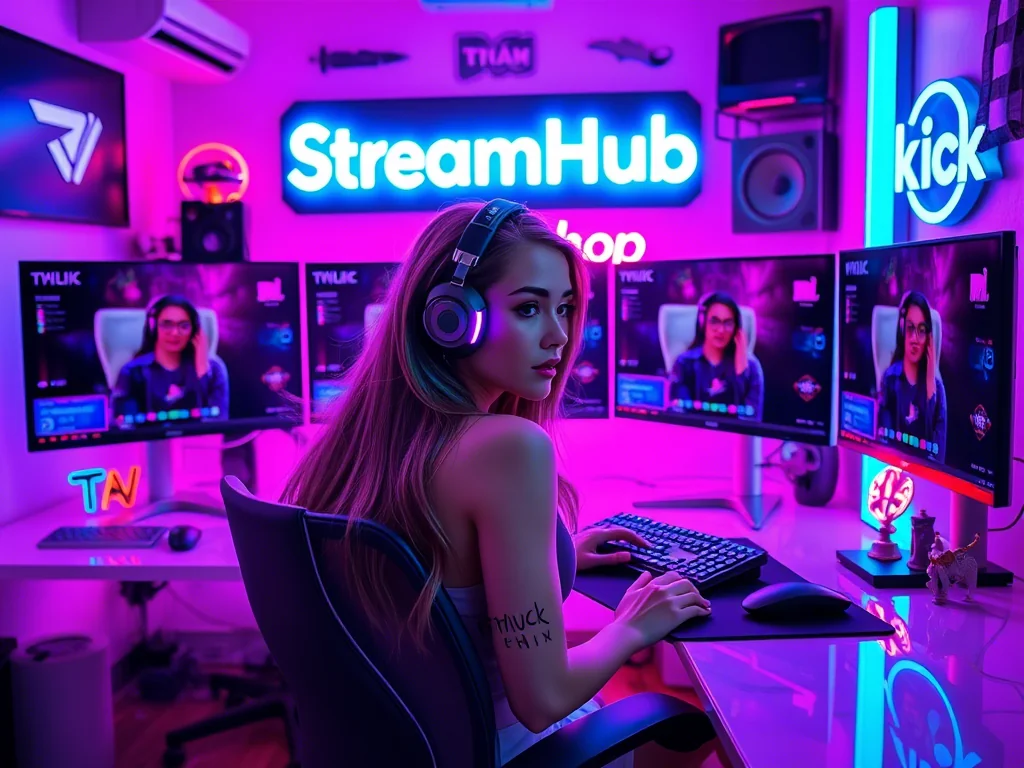
1. Your Virtual Avatar
-
2D vs. 3D:
- 2D Avatars (Live2D): These are often illustrated characters with multiple layers that can be animated to simulate movement and expression. They typically require less processing power and can look incredibly expressive with good rigging. Many artists specialize in creating Live2D models.
- 3D Avatars (VRM, VRChat models): These are fully three-dimensional models that can be rotated, viewed from different angles, and often allow for more complex movements. They might require more robust hardware for smooth performance. VRM is a common open-source format for 3D avatars, and platforms like VRChat offer a vast library.
-
Getting an Avatar:
- Pre-made/Free: Software like VSeeFace or VTube Studio comes with basic avatars. Websites like Booth.pm (Japanese focus, but many English creators use it) offer a wide range of free and paid models. This is a great starting point to test the waters.
- Commissions: Many artists specialize in creating custom 2D or 3D VTuber models. This is where you can truly realize a unique vision, but it's an investment in both time and money. Research artists, check portfolios, and expect a lead time.
- DIY Tools: Programs like VRoid Studio (for 3D) or Live2D Cubism (for 2D, more complex) allow you to create your own, though this requires artistic skill and dedication.
2. Tracking Your Movements
This is how your avatar mirrors your real-world actions.
-
Webcam Tracking:
- How it works: Your standard webcam (even a built-in laptop camera) can track your face, head movements, and sometimes even hand gestures.
- Pros: Affordable, easy to set up, good entry point.
- Cons: Limited to upper body/face, can be sensitive to lighting, may not always be perfectly smooth.
-
iPhone/Android Tracking (ARKit/Mediapipe):
- How it works: Many VTuber apps leverage the advanced facial tracking capabilities of modern smartphones. You'll use your phone's camera (often the front-facing one) to capture your expressions, which are then sent to your PC.
- Pros: Very precise facial tracking, often smoother and more accurate than a standard webcam. Uses hardware you likely already own.
- Cons: Requires your phone to be dedicated to tracking during stream, can drain phone battery.
-
Advanced Tracking (Leap Motion, VR Headsets, Full-Body Tracking Suits):
- How it works: These provide more detailed tracking, from individual finger movements to full-body motion.
- Pros: Highly immersive, offers the most dynamic avatar control.
- Cons: Significant investment, complex setup, requires dedicated hardware. Not recommended for beginners.
3. The Software Stack
-
Avatar Tracking Software:
- VSeeFace (PC): Popular, free, supports 2D and 3D avatars, webcam and iPhone tracking. User-friendly for beginners.
- VTube Studio (PC & Mobile): Excellent for 2D (Live2D) models, very customizable, robust iPhone/Android tracking. Has a free version with a watermark, paid to remove.
- Animaze (PC): Offers a wide range of pre-made avatars and good tracking. Can be resource-intensive.
- Warudo (PC): A newer, powerful tool for 3D VTubing, offering deep customization and interaction.
-
Streaming Software:
- OBS Studio / Streamlabs Desktop: Your standard broadcasting tools. You'll add your avatar tracking software as a Window Capture or Game Capture source in these programs.
Bringing Your Avatar to Life: The Setup Flow
Let's get practical. Here’s a streamlined approach to setting up your first VTuber stream, assuming you're starting with a 2D or 3D avatar and a webcam or smartphone for tracking.
- Acquire Your Avatar:
- Download a free model (e.g., from VSeeFace's default options, or a free VRM/Live2D from Booth.pm).
- Or, if commissioning, ensure you have the final files (e.g., .vrm for 3D, folder with .moc3, .model3.json, textures for Live2D).
- Choose Your Tracking Software:
- For 3D avatars: VSeeFace or Warudo are good starting points.
- For 2D avatars: VTube Studio is often preferred for its Live2D capabilities, but VSeeFace also works.
- Install and Configure Tracking Software:
- Download your chosen software (e.g., VSeeFace or VTube Studio).
- Launch it and load your avatar.
- Select your webcam or connect your smartphone for tracking (most apps have clear instructions for linking phone to PC).
- Adjust sensitivity, expressions, and any physics settings until your avatar reacts naturally to your movements. Ensure you have good lighting on your face for accurate tracking.
- Integrate with OBS/Streamlabs:
- Open OBS Studio or Streamlabs Desktop.
- Add a new Source: "Window Capture" or "Game Capture."
- Select your avatar tracking software's window.
- Crucial Step: Enable "Allow Transparency" (if using Window Capture) or "Use anti-cheat compatibility hook" (if Game Capture is needed) and then set the "Mode" to "Capture specific window" and select your VTuber app. Many VTuber apps have a "transparent background" mode you should enable for a clean overlay.
- Position and resize your avatar within your stream layout.
- Test and Refine:
- Do a local recording or a private test stream.
- Check if your avatar's movements are smooth, if expressions are registering, and if it integrates well with your other stream elements (gameplay, chat, alerts).
- Adjust avatar size, position, and tracking settings as needed. This iterative process is key to a polished look.
- Go Live! Once you’re happy with the setup, you’re ready to introduce your new virtual self to the world.
For more specific peripherals that can enhance your stream, from better webcams to dedicated microphones, you might explore options available at streamhub.shop as you consider future upgrades.
Community Pulse: Navigating Common Hurdles
Creators venturing into VTubing often share similar concerns. Based on feedback and discussions across various streaming communities, here are some recurring patterns and how many approach them:
- "Is it too expensive to start?" This is a common worry. Many creators initially believe they need a custom 3D model and advanced tracking gear. However, the consensus is that you absolutely don't. Starting with a free 2D model and a basic webcam is a perfectly valid and popular entry point. The investment can scale up as your channel grows and you better understand your needs.
- "My PC isn't a beast. Can I still VTuber?" Performance is another frequent concern. While 3D models and certain tracking software can be resource-intensive, 2D Live2D models are generally much lighter. Many streamers find that if their PC can handle streaming a game, it can likely handle a 2D avatar with a well-optimized tracking program like VTube Studio or VSeeFace. Lowering in-game graphics or opting for a simpler avatar can help.
- "How do I find a good avatar without breaking the bank?" The search for the "right" avatar can feel overwhelming. Community discussions often point to the thriving ecosystem of independent artists on platforms like Twitter or Fiverr for commissions, and sites like Booth.pm for pre-made assets. Starting with a free avatar or a cheaper pre-made one is frequently recommended to ensure VTubing is for you before investing heavily in a custom design.
- "The setup looks complicated." This sentiment is understandable. The initial learning curve for rigging, tracking, and integrating can seem steep. However, most modern VTubing software has become significantly more user-friendly. Many creators emphasize taking it one step at a time, watching tutorial videos, and utilizing Discord communities for quick troubleshooting. The initial effort often pays off in the long run.
Maintaining Your Virtual Presence: What to Revisit
Your VTuber identity isn't static. Over time, it's wise to review and update aspects of your setup and persona to keep things fresh and functional.
- Avatar Relevance: Does your avatar still represent your brand and content? As your channel evolves, you might find your initial avatar no longer fits. Consider updates, new outfits, or even a completely new look if your brand shifts significantly.
- Tracking Accuracy: Re-evaluate your tracking. Are your expressions consistently registering? Is your lighting optimal? Sometimes minor adjustments to your webcam position, room lighting, or software sensitivity can make a big difference in how expressive your avatar appears.
- Software Updates: VTubing software (VSeeFace, VTube Studio, OBS, etc.) receives regular updates, bringing new features, performance improvements, and bug fixes. Keep your software current to benefit from the latest advancements.
- Hardware Check: Are your webcam, microphone, and other peripherals performing optimally? A clean lens, a well-positioned mic, and updated drivers ensure a smooth streaming experience, both for your virtual self and your audio.
- Expression Library: If your avatar supports custom expressions (like happy, sad, angry, confused), are you utilizing them effectively? Can you add more to enhance your reactions and storytelling?
- Community Feedback: Pay attention to what your audience says. Do they love your avatar? Are there any minor glitches they've noticed? While you don't need to act on every comment, recurring feedback can highlight areas for improvement.
2026-03-04