You’ve poured hours into refining your content, mastering your commentary, and building a community. But how often do you consider the silent ambassador of your stream: the custom overlay? It’s more than just a decorative frame; it's a critical branding tool, communicating professionalism, identity, and attention to detail before you even say a word. For many creators, the leap from generic templates to a truly custom, branded look feels daunting. This guide will walk you through the strategic thinking behind designing overlays that elevate your live content, making your unique brand shine.
Establishing Your Visual Identity: The Core of Overlay Design
Think of your stream overlay as an extension of your channel's personality. Just as a physical store has signage, colors, and a distinct atmosphere, your digital space needs these visual cues. The goal isn't just to look good, but to reinforce who you are and what your viewers can expect.
- Color Palette: Choose 2-4 primary and accent colors that resonate with your brand. Are you vibrant and energetic, or calm and focused? Consistency here is key. Use tools like Adobe Color or Coolors to generate harmonious palettes.
- Typography: Select 1-2 fonts that are legible and reflect your brand's tone. A sleek sans-serif might suit a tech streamer, while a more ornate font could fit a fantasy RPG channel. Ensure they're readable at various resolutions, especially for smaller text elements like chat.
- Graphic Style: Are your graphics sharp and geometric, or soft and organic? Do they use pixel art, hand-drawn elements, or sleek vector designs? Maintain this style across all your overlay components, from webcam frames to alert boxes and transition screens.
- Logo and Iconography: Your channel logo should be a central, recognizable element, ideally integrated subtly into overlays. Consistent iconography (e.g., social media icons) reinforces a professional look.
These elements, when harmonized, create an instant impression and foster brand recognition. Viewers should be able to identify your stream within seconds, even if they're just glancing.
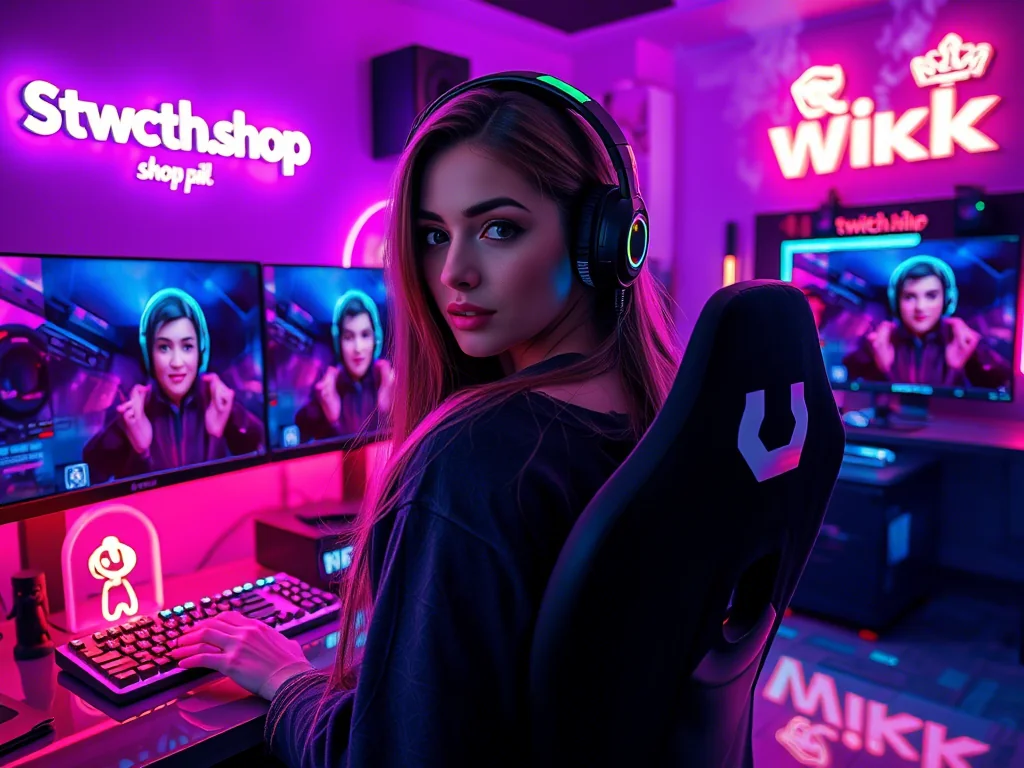
Practical Considerations: Beyond Just Looking Good
A beautiful overlay is useless if it obstructs gameplay, overloads the viewer, or performs poorly. Design isn't just about aesthetics; it's about functionality.
- Screen Real Estate is Precious: Every pixel counts. Overlays should enhance, not detract from, your primary content (gameplay, your facecam, chat). Avoid overly large or intrusive elements. Think about the 'dead space' on your screen and how overlays can fill it without being distracting.
- Readability and Contrast: Text elements (follower counts, recent donations, chat) must be easily readable against whatever is happening behind them. Use adequate contrast between text and background, and consider semi-transparent backgrounds or subtle drop shadows for better legibility.
- Dynamic vs. Static Elements: Decide what needs to be animated (alerts, transitions) and what should remain static (webcam frame, game border). While dynamic elements add flair, overuse can be distracting and resource-intensive for both you and your viewers.
- Scalability and Responsiveness: Your overlays should ideally work across different aspect ratios and resolutions if you ever change your streaming setup or if viewers watch on different devices. While not always perfectly achievable, design with some flexibility in mind.
- The "Just Chatting" vs. "Gameplay" Divide: Many streamers benefit from having distinct overlay sets for different content types. A 'Just Chatting' scene might feature a larger webcam frame, more prominent chat, and decorative background elements, while a 'Gameplay' scene prioritizes the game footage with minimal, non-intrusive elements.
Mini-Case: "NovaPlays" and Her Retro RPG Aesthetic
NovaPlays streams classic and indie RPGs, known for her deep dives into lore and relaxed, nostalgic vibe. Her goal was an overlay that felt authentic to the 8-bit/16-bit era without being overly pixelated or clunky. She chose a muted, warm color palette (deep purples, forest greens, antique gold) reminiscent of old game manuals. Her fonts are a clean, pixel-style font for primary text (alerts, follower names) and a slightly distressed sans-serif for general information, ensuring readability. Her webcam frame is a simple, subtly animated 8-bit border that doesn't obscure her face. Instead of complex animations, she uses static, hand-drawn pixel art icons for social media and a small "now playing" box that resembles an old game cartridge label. Her "Be Right Back" screen features a full-screen, custom pixel art landscape of a fantasy town, reinforcing her theme even when she's away. This careful curation allows her personality to shine through while keeping the focus squarely on the games and her commentary.
Addressing Common Hurdles: Community Pulse
Many creators echo similar concerns when it comes to custom overlays. A frequent pain point is the perceived high cost or complexity. Streamers often feel they lack the design skills to create something professional, or that hiring a designer is financially out of reach. There's also the challenge of standing out when so many talented designers offer similar aesthetic packages. Another common question revolves around how to make overlays unique without becoming too niche or alienating a broader audience. Creators also worry about the technical setup, like ensuring elements are properly layered in OBS or Streamlabs, and that they don't cause performance issues.
The key to navigating these issues lies in strategic planning and leveraging available resources. You don't need to be a professional designer to start. Focus on consistency and simplicity first. Utilize free or affordable tools like Canva, GIMP, or even basic image editors for simple elements. Many marketplaces offer overlay packs that can be customized with your branding elements (colors, fonts). For technical setup, dedicate time to learning your streaming software; most have excellent tutorials on source layering and transparency. And remember, "unique" doesn't always mean complex; often, a clean, consistent, and well-executed design that genuinely reflects your personality is more impactful than an overly elaborate one.
Your Overlay Design & Implementation Checklist
Before you dive into a design tool, take a moment to plan. This checklist will guide you through the process:
- Define Your Brand Identity:
- What's your stream's core theme or niche?
- What emotions do you want to evoke? (e.g., excitement, calm, humor)
- List 3-5 keywords that describe your stream.
- Choose Your Core Elements:
- Select 2-4 primary brand colors.
- Identify 1-2 legible fonts for your brand.
- Sketch out ideas for your logo and any recurring icons.
- Identify Necessary Overlay Components:
- Webcam frame
- Alert boxes (new follower, subscriber, donation, raid)
- Chat box (if integrated into overlay)
- Now Playing/Recent Follower/Top Donor panels
- Transition screens (BRB, Starting Soon, Ending Stream)
- Event list/ticker
- Social media handles display
- Plan Your Layouts:
- How will overlays adapt for 'Gameplay' vs. 'Just Chatting' scenes?
- Where will each element sit on the screen without obstructing key content?
- Consider different game UIs – will your overlay clash with any game elements?
- Design or Source Your Assets:
- Create graphics yourself using design software (Photoshop, GIMP, Canva, Figma).
- Customize pre-made overlay packs (available on various marketplaces).
- Hire a professional designer for unique, tailored assets.
- Test & Implement:
- Import assets into your streaming software (OBS Studio, Streamlabs Desktop).
- Position and resize all elements accurately.
- Test all alerts and transitions live (perhaps on a private stream or with a friend).
- Check for readability, especially with various game backgrounds.
- Monitor CPU/GPU usage to ensure overlays aren't causing performance issues.
Maintaining and Refreshing Your Visuals
Your stream, like any brand, will evolve. What worked a year ago might not perfectly fit your content or audience today. Regular review keeps your visuals fresh and relevant.
- Performance Check: Periodically ensure your overlays aren't causing undue strain on your streaming PC. Too many animated elements or high-resolution graphics can impact frames per second or encoding quality. Simplify if necessary.
- Brand Evolution: Has your content shifted? Did you pick up a new game genre, or change your overall stream vibe? Your overlays should reflect this. A full overhaul isn't always needed; sometimes, just an updated color palette or a few new icons can make a big difference.
- Audience Feedback: Pay attention to subtle cues from your chat. Do they ever mention elements being hard to read, or seem distracted? While you shouldn't redesign based on every comment, recurring feedback is valuable.
- Technical Updates: Streaming platforms and software (like OBS or Streamlabs) frequently update. Ensure your overlay assets remain compatible and display correctly after any major software patches.
- Seasonal or Event-Based Updates: Consider temporary overlay elements for holidays, charity streams, or special events. This shows engagement and keeps your stream dynamic without requiring a complete rebrand.
- Archived Content Review: Watch back some of your VODs. How do your overlays look in retrospect? Are they still effective, or do they feel dated? This objective view can reveal areas for improvement.
The goal isn't constant change, but thoughtful evolution. A well-designed, functional, and current overlay significantly contributes to a polished, professional stream experience, reinforcing your unique brand identity for every viewer.
2026-03-04