In the fiercely competitive landscape of live streaming, where thousands of creators vie for precious viewer attention, the visual presentation of your channel is no longer merely an aesthetic choice—it is a critical component of your overall branding and a direct contributor to viewer retention and growth. A professionally designed stream overlay transcends simple decoration; it communicates your brand identity, enhances the viewer experience, and establishes a perception of quality and dedication. This comprehensive guide will dissect the art and science of stream overlay design, offering actionable insights and best practices to transform your broadcast into a polished, memorable, and growth-oriented platform.
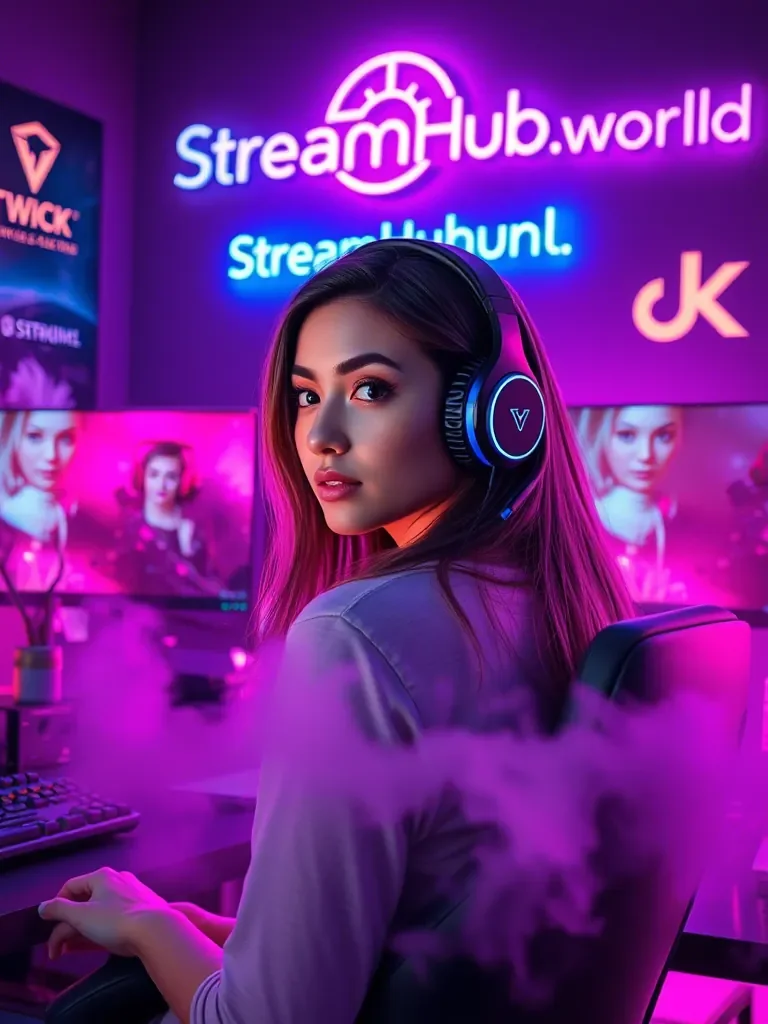
The Foundational Role of Visual Identity in Streaming
Your stream’s visual identity is the silent ambassador of your brand. It’s the first impression that either captivates a new viewer or causes them to swiftly navigate away. Beyond the quality of your content and your personality, a cohesive and professional visual package signals authenticity, attention to detail, and a commitment to your craft. It’s about creating an immersive environment that aligns with your content and differentiates you from the crowd.
Branding Beyond the Game: Crafting Your Unique Visual Signature
Think of your stream overlay as an extension of your personal brand. Just as successful companies have recognizable logos, color palettes, and fonts, so too should your streaming presence. This involves a deliberate strategy to integrate consistent visual elements across your live stream, social media, and offline presence. A strong brand identity fosters recognition, builds community, and, crucially, makes your channel feel more established and trustworthy. It helps viewers connect with your unique personality and content style, moving beyond just the game being played.
Core Components of a Professional Stream Overlay
A well-designed overlay is a symphony of various elements, each playing a vital role in the overall composition. Understanding these components and how they interact is key to building a harmonious and functional visual experience.
Webcam Frames: Your Window to the Audience
The webcam frame is often the most prominent overlay element, framing your face and personality. It should complement your overall design without being overly distracting. Consider:
- Minimalism: Often, less is more. A clean, subtle frame can draw attention to you without cluttering the screen.
- Branding Integration: Incorporate your brand colors or a subtle logo element.
- Aspect Ratio: Ensure the frame perfectly matches your webcam's aspect ratio (typically 16:9 or 4:3) to avoid awkward cropping or empty space.
Alert Boxes: Engaging Viewers with Dynamic Feedback
Alerts for new followers, subscribers, donations, and bits are crucial for acknowledging your community. They need to be noticeable but not overwhelming.
- Visual Hierarchy: Design alerts to be distinct but brief. Viewers should quickly grasp the information.
- Custom Animations & Sounds: Unique animations and sounds make alerts more memorable and personal to your brand.
- Placement: Position alerts in a consistent, non-intrusive location, often a corner of the screen, ensuring they don't cover crucial game UI.
Event Lists & Scrolling Text: Keeping Up-to-Date
Displaying recent events (e.g., "Latest Follower," "Top Donor") adds a dynamic element and celebrates your community.
- Readability: Choose clear fonts and sufficient contrast for easy reading.
- Update Frequency: Ensure the list updates smoothly and promptly.
- Subtlety: These elements should be informative, not distracting. A subtle scroll or fade animation works well.
Intermission & BRB Screens: Maintaining Engagement During Breaks
These full-screen overlays are crucial for maintaining viewer engagement when you step away.
- Branding: These are prime real estate for showcasing your full brand aesthetic.
- Information: Include messages like "Be Right Back," "Stream Starting Soon," or "Stream Ending," along with social media handles.
- Timers & Music: Integrate countdown timers and royalty-free background music to keep viewers entertained.
Starting Soon & Ending Screens: Professional Transitions
Similar to BRB screens, dedicated starting and ending screens provide a professional bookend to your broadcast. They set expectations and offer a smooth exit. These are essential for managing viewer expectations and providing a polished feel to the entire stream lifecycle.
Stream Labels and Widgets: Dynamic Data Display
These elements display real-time data from your streaming platform (e.g., current viewer count, game played, follower goal).
- Integration: Ensure they seamlessly integrate with your overall design aesthetic.
- Clarity: The information should be clear and easy to read at a glance.
- Relevance: Only display information that adds value to the viewer experience.
Panel Graphics: Enhancing Your Channel Page
Beyond the live stream, your channel page (e.g., Twitch panels) is another crucial touchpoint for branding.
- Consistency: Design panels using the same fonts, colors, and graphic style as your live overlays.
- Conciseness: Use clear, descriptive titles and concise information for each panel.
- Call to Action: Encourage followers, subscriptions, and social media engagement.
Design Principles for Impactful Overlays
Great design isn't just about pretty pictures; it's about strategic choices that enhance usability and engagement.
Consistency is Key: The Pillar of Professionalism
The hallmark of a professional channel is consistency. Your overlay's color scheme, typography, graphic style, and animation choices should be uniform across all elements. This creates a cohesive brand identity that viewers recognize and trust. Deviating from your established visual language can confuse viewers and make your channel appear less polished.
Readability and Clarity: Prioritizing Viewer Experience
Every piece of text or data on your overlay must be immediately legible.
- Font Choice: Select fonts that are clear and easy to read, even at smaller sizes or lower stream qualities. Avoid overly decorative or thin fonts.
- Color Contrast: Ensure sufficient contrast between text and background colors. Tools like contrast checkers can help you meet accessibility standards.
- Sizing: Text and elements should be appropriately sized for visibility without being obtrusive.
Minimizing Clutter: The "Less is More" Approach
A common pitfall for new streamers is overcrowding their overlays. Too many elements, animations, or colors can overwhelm viewers, distract from gameplay, and make your stream look amateurish. Focus on essential information and clean layouts. Each element should serve a purpose.
Optimizing for Performance: Smooth Streaming Matters
High-quality graphics are vital, but not at the expense of stream performance.
- File Formats: Use optimized file formats. PNG is excellent for static overlays with transparency, while WebM or GIF can work for animations, but ensure they are compressed.
- Resolution: Design overlays at your stream's native resolution (e.g., 1920x1080 for 1080p streams) to ensure crispness without unnecessary scaling.
- Resource Management: Be mindful of animated elements, as they consume more CPU/GPU resources. Use them sparingly and efficiently.
Accessibility Considerations: Designing for Everyone
Inclusive design ensures your stream is enjoyable for the widest possible audience.
- Color Blindness: Avoid relying solely on color to convey information. Use textures or symbols as well.
- Text Size: Ensure text is large enough to be read by viewers on various devices, including mobile.
- Flashing Elements: Be cautious with rapid flashing animations, which can trigger photosensitive epilepsy.
Choosing Your Overlay Creation Method: DIY vs. Professional
Streamers have two primary avenues for acquiring overlays: designing them themselves or commissioning a professional. Each approach has distinct advantages and disadvantages.
| Feature | DIY Approach | Professional Designer |
|---|---|---|
| Cost | Low (software licenses, free assets) | Moderate to High (designer fees, premium assets) |
| Time Investment | High (learning design tools, creation) | Low (briefing, revision process) |
| Skill Required | Significant (graphic design, software proficiency) | None (rely on designer's expertise) |
| Customization | Complete, but limited by personal skill | Complete, often with unique artistic flair |
| Quality Potential | Variable (from basic to impressive, skill-dependent) | Consistently high, professional standard |
| Timeline | Flexible, self-paced | Fixed deadlines, potential wait times |
For those aiming for rapid channel growth and a distinct professional image without the steep learning curve of graphic design, investing in professional services can be highly beneficial. Platforms such as streamhub.shop offer resources and tools that can elevate your channel's visibility and appeal, working in tandem with a strong visual identity.
Leveraging Stream Software for Overlay Management
Regardless of how you acquire your overlays, integrating them into your streaming software is crucial. Popular choices include:
- OBS Studio: A powerful, open-source, and highly customizable software. It requires a more hands-on approach to source management but offers unparalleled control.
- Streamlabs Desktop: User-friendly with integrated alert systems, themes, and a more streamlined setup process, often preferred by newer streamers.
- StreamElements: A cloud-based platform that allows you to manage all your overlays, alerts, and widgets from a browser, then integrate them into OBS/Streamlabs via a single browser source. This is excellent for performance optimization and easy updates.
Step-by-Step Guide: Implementing Your Custom Overlays
Once you have your overlay assets, getting them live on your stream involves a structured process.
1. Planning Your Layout: The Blueprint
Before touching any software, sketch out your desired layout. Consider:
- Key Areas: Identify where your game, webcam, chat, and important overlay elements will sit.
- Information Hierarchy: Determine what information is most important and should be most prominent.
- Screen Real Estate: Ensure elements don't overlap awkwardly or obscure critical game UI.
2. Source Management in OBS/Streamlabs: Bringing Elements to Life
This is where your digital assets become part of your live stream.
- Add Image Sources: For static overlays (frames, backgrounds), add them as "Image" sources.
- Add Browser Sources: For dynamic elements like alert boxes, event lists, and chat widgets, use "Browser Source" and paste the provided URL from Streamlabs/StreamElements.
- Add Text Sources: For custom text (e.g., "now playing"), use "Text (GDI+)" or "Text (FreeType)" for more font control.
- Organize with Groups: Group related sources (e.g., "Webcam Frame," "Webcam") to keep your scene list tidy and enable easier adjustments.
- Layering: Pay close attention to the order of your sources. Elements higher in the list will appear "on top" of elements lower in the list.
3. Testing and Iteration: The Refinement Process
Never go live with a new overlay without thorough testing.
- Local Recording: Record a short stream session using your streaming software without going live.
- Self-View & Feedback: Watch the recording, look for misaligned elements, readability issues, or performance drops. Ask trusted friends or fellow streamers for feedback.
- Simulate Alerts: Use the testing features in Streamlabs/StreamElements to trigger all your alerts and ensure they appear correctly and sound as intended.
- Adjustments: Make necessary tweaks in your streaming software or graphic design program until everything is perfect.
Advanced Overlay Techniques and Trends
To truly stand out, consider incorporating more sophisticated design elements.
Animated Overlays: Injecting Dynamism and Polish
Static overlays are functional, but animated elements elevate the professional feel.
- Subtle Animations: Gentle movement in webcam frames, subtle transitions for alerts, or animated "starting soon" screens add polish without being distracting.
- Stinger Transitions: Custom animated full-screen transitions between scenes (e.g., game to BRB) are a hallmark of high-production streams.
- Performance Balance: Remember the trade-off. Prioritize subtle, optimized animations over flashy, resource-intensive ones.
Interactive Overlays: Enhancing Viewer Engagement
Moving beyond passive viewing, interactive overlays invite viewers to participate.
- Chat Bots: Integrate bots that respond to specific commands, displaying information or triggering visual effects.
- Viewer Polls/Quizzes: Overlay systems can display real-time poll results or quiz questions, directly engaging the audience.
- Channel Point Redemptions: Integrate Twitch Channel Points to trigger on-screen effects or change overlay elements, creating a unique viewer experience.
Seasonal and Event-Specific Overlays: Keeping Content Fresh
Regularly updating or adding special overlays for holidays, charity events, or game launches keeps your channel feeling fresh and relevant. This shows viewers you're engaged and invested in current events and your community. It also provides opportunities for new visual branding and marketing.
The Impact of Overlay Quality on Channel Growth
The link between professional overlay design and channel growth is direct and measurable. It’s an investment that pays dividends in audience perception and engagement.
Viewer Retention and Engagement: The Visual Hook
A polished visual presentation immediately establishes credibility. Viewers are more likely to stay and explore a channel that looks professional and well-maintained. Clear, non-intrusive overlays allow viewers to focus on your content and personality, rather than being distracted by clunky graphics. When the visual experience is seamless, engagement metrics like average view duration and chat participation tend to rise.
Monetization and Sponsorship Appeal: Attracting Opportunities
For streamers aspiring to monetize their content or attract sponsorships, a professional visual identity is non-negotiable. Brands look for partners whose channels reflect a high standard of quality and professionalism. A well-designed overlay signals that you take your stream seriously, making you a more attractive prospect for paid collaborations and partnerships. Services like streamhub.shop complement this by providing tools to further enhance your channel's appeal and reach, creating a holistic growth strategy.
| Metric | Impact of Professional Overlays | Impact of Amateur Overlays |
|---|---|---|
| First Impression Score (0-10) | 8-10 (Positive, Professional) | 3-6 (Unpolished, Distracting) |
| Average View Duration Increase | Up to 25-40% | Potential decrease, high bounce rate |
| Follower Conversion Rate | 5-15% higher | Stagnant or lower |
| Subscriber Conversion Rate | 3-8% higher | Negligible impact |
| Sponsorship Appeal | High (signals professionalism) | Low (lacks brand polish) |
| Platform/Software | Primary Features | Ease of Use | Cost |
|---|---|---|---|
| OBS Studio | Extensive customization, open-source, powerful scene management | Moderate to High (Steep learning curve) | Free |
| Streamlabs Desktop | Integrated alerts, themes, widgets, user-friendly interface | Easy to Moderate | Free (Prime subscription for premium features) |
| StreamElements | Cloud-based overlay editor, alerts, chatbot, loyalty program | Easy (Browser-based) | Free (Tipping features have transaction fees) |
| Nerd or Die | Pre-made overlay packages, stinger transitions, assets | Easy (Plug-and-play) | Variable (Free to premium packages) |
| Visuals by Impulse | Premium custom and pre-made overlays, branding services | Easy (Plug-and-play) | Variable (Free to high-end custom) |
Frequently Asked Questions
How often should I update my stream overlays?
There's no strict rule, but a good guideline is every 6-12 months for a refresh, or whenever you undergo a significant rebrand, change games, or reach a major milestone. Keeping your overlays current prevents your channel from looking stale and can generate excitement among your viewers. It's also wise to have specific overlays for seasonal events or special streams.
Can I use copyrighted images or fonts in my overlays?
No, you should always avoid using copyrighted material without explicit permission or a proper license. Using copyrighted images, fonts, or music can lead to DMCA strikes, channel suspensions, or legal issues. Stick to royalty-free assets, assets with commercial licenses, or custom-designed graphics. Many free font sites offer fonts for commercial use, but always check the licensing terms.
What resolution should my overlays be?
Your overlays should match your stream's base canvas resolution. If you stream in 1080p, your overlays should be designed at 1920x1080 pixels. If you stream in 720p, they should be 1280x720 pixels. This ensures maximum sharpness and avoids pixelation or blurriness when scaled.
Is it worth investing in animated overlays?
Absolutely, if done tastefully and efficiently. Animated overlays, such as subtle movements in webcam frames, dynamic alerts, or stinger transitions, significantly enhance the professional look and feel of your stream. They can make your channel more engaging and memorable. However, ensure animations are optimized to avoid impacting your stream's performance or distracting viewers.
How do I ensure my overlays don't cover important game elements?
Careful planning and testing are crucial. Before going live, play your game for a few minutes while recording locally with your overlays active. Pay close attention to the game's HUD (Heads-Up Display), mini-maps, health bars, and other critical information. Adjust your overlay elements' position and size until they no longer obstruct any vital game UI. Consider games you play most frequently and design around their common UI layouts.
Conclusion: Your Visual Brand, Your Streaming Success
The journey to professional stream overlay design is an ongoing one, requiring attention to detail, a commitment to consistency, and an understanding of your audience. By meticulously crafting your visual identity, from the subtle nuances of your webcam frame to the dynamic impact of your alert boxes, you are not just decorating your stream—you are building a brand, enhancing viewer experience, and laying a robust foundation for channel growth. In an increasingly visual world, a strong visual presentation is no longer a luxury but a strategic imperative for any streamer serious about making a lasting impact.