In the dynamic world of online content creation, a captivating phenomenon has surged to the forefront: VTubing. Short for "Virtual YouTubing," this innovative approach allows creators to engage audiences using animated avatars, rather than their physical selves. From charming anime characters to fantastical creatures, VTubers have cultivated massive global followings, redefining the very essence of streamer-viewer interaction. This isn't merely a niche trend; it's a testament to the evolving digital landscape, where creativity, technology, and community converge to forge unique entertainment experiences.
For aspiring content creators intrigued by the allure of a digital identity, the journey into VTubing might seem daunting. The blend of hardware, software, and creative design can appear complex. However, with the right guidance, transforming into a virtual personality is more accessible than ever. This comprehensive guide will dissect every essential component, from avatar creation and tracking technology to streaming setup and community engagement strategies, empowering you to launch your own virtual streaming career.
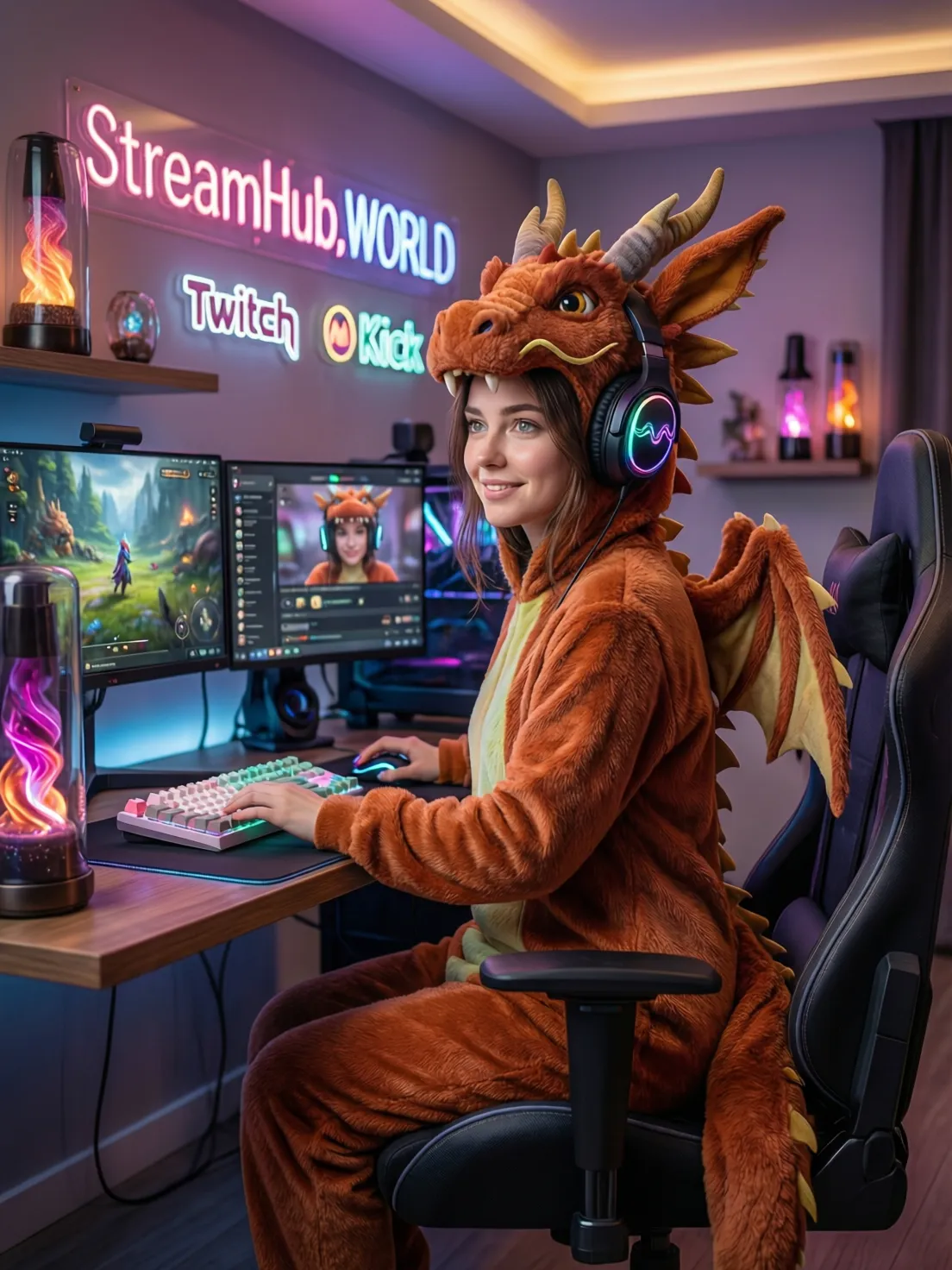
Core Components of a VTuber Setup: Building Your Digital Foundation
Embarking on your VTuber journey requires a solid understanding of both the hardware and software that will bring your virtual persona to life. Think of it as assembling the body and soul of your digital self.
Essential Hardware for Virtual Streaming
Your hardware forms the backbone of your VTuber operation. Investing wisely here ensures smooth performance and a professional output.
- Powerful PC: A robust desktop computer is non-negotiable. VTubing, especially with 3D avatars and demanding games, is CPU and GPU intensive.
- Processor (CPU): Intel Core i7 (10th Gen or newer) or AMD Ryzen 7 (3000 series or newer) is recommended for multitasking and avatar rendering.
- Graphics Card (GPU): NVIDIA GeForce RTX 2060/3060 series or AMD Radeon RX 6600 XT/6700 XT or better is crucial for rendering detailed avatars and games simultaneously.
- RAM: 16GB is a good starting point, but 32GB is highly recommended for smoother operation, especially if you plan to run multiple applications concurrently.
- Storage: An SSD (Solid State Drive) is essential for fast loading times of your operating system, software, and games. A 500GB NVMe SSD for your OS and main applications, complemented by a larger HDD for storage, is ideal.
- Webcam or Depth Camera: This is your avatar's eyes and face.
- Standard Webcam: A good quality 1080p 30fps/60fps webcam (e.g., Logitech C920, Razer Kiyo) can handle basic face tracking adequately for most 2D and some 3D avatar software.
- Depth Camera (e.g., iPhone with TrueDepth sensor, Intel RealSense): Offers superior 3D face tracking, capturing subtle movements and expressions with greater accuracy. This is particularly beneficial for lifelike 3D avatars.
- High-Quality Microphone: Your voice is the primary connection to your audience. Don't skimp here.
- USB Microphones (e.g., Blue Yeti, Rode NT-USB Mini) are convenient for beginners.
- XLR Microphones (e.g., Shure SM7B, Rode Procaster) offer professional-grade audio but require an audio interface (mixer) and XLR cables.
- Headphones: Essential for monitoring your audio and hearing game sounds without feedback. Open-back headphones often offer better soundstage for gaming, while closed-back provide better sound isolation.
- Optional Peripherals:
- Stream Deck: For quick access to scenes, audio controls, and other streaming functions.
- VR Headset (e.g., Valve Index, Oculus Quest 2/Pro): For full-body tracking and more immersive avatar control in certain applications.
- Motion Capture Suits/Gloves: For advanced full-body and hand tracking, though these represent a significant investment.
Crucial Software for Virtual Streaming
Once your hardware is in place, the software ecosystem brings your VTuber to life, enabling avatar creation, tracking, and broadcasting.
- Avatar Creation Software: Where your digital identity takes shape.
- VRoid Studio (Free): Excellent for beginners, allowing easy creation of custom 3D anime-style characters in VRM format.
- Live2D Cubism (Paid, Free Trial): Industry-standard for creating intricate 2D anime avatars that can blink, talk, and move with subtle realism. Requires rigging expertise.
- Blender (Free): A powerful 3D modeling suite for creating complex 3D avatars from scratch or modifying existing ones. Steeper learning curve.
- Unity (Free for personal use): Often used to refine and optimize 3D avatars, add custom animations, and integrate with tracking solutions.
- Avatar Tracking Software: The bridge between your movements and your avatar's animation.
- VTube Studio (Paid, Free Version with Watermark): Highly popular for 2D and 3D avatar tracking (VRM), offering robust webcam-based face tracking and iOS-based facial capture.
- VSeeFace (Free): A fantastic free option for 3D VRM avatar tracking, supporting webcam input and various VR hardware for more advanced tracking.
- Animaze (Paid, Free Version with Watermark): Offers a wide range of pre-made avatars and allows custom avatar import, with good face and hand tracking.
- 3tene (Free/Paid): A Japanese-developed 3D VTuber software supporting VRM models with webcam tracking.
- Luppet (Paid): A premium 3D avatar tracking software known for its precise and smooth tracking capabilities.
- Streaming Software: To broadcast your content to the world.
- OBS Studio (Free): The industry-standard, open-source software offering unparalleled control over scenes, sources, and audio mixing.
- Streamlabs Desktop (Free/Paid Prime): A user-friendly alternative to OBS, with integrated alerts, widgets, and themes, ideal for beginners.
- Voice Changer Software (Optional): For altering your voice to match your character.
- Voicemod (Free/Paid): Popular for real-time voice modification with a wide array of effects.
- Clownfish Voice Changer (Free): A simpler, free option for basic voice alterations.
Crafting Your Digital Identity: Avatar Creation
Your avatar is the face of your VTuber brand. It’s the visual representation that audiences will connect with, so its design and expression are paramount.
Choosing an Avatar Style: 2D vs. 3D
The first decision in avatar creation is selecting between 2D and 3D models, each offering distinct aesthetics and technical requirements.
-
2D Avatars (Live2D):
- Pros: Often have a classic anime aesthetic, highly expressive with subtle movements, lower computational demand on your PC for tracking, can be more unique due to hand-drawn nature.
- Cons: Requires specialized software (Live2D Cubism) and rigging expertise, commissioning a high-quality 2D avatar can be expensive, limited in terms of movement depth (no true rotations).
- Ideal for: Creators who prioritize detailed facial expressions, a traditional anime look, and don't need full-body 3D movement.
-
3D Avatars (VRM, VRChat Models):
- Pros: Offer full rotational movement, greater range of motion (especially with body tracking), often easier to customize with pre-made assets, more accessible free creation tools.
- Cons: Can look less expressive in facial animations without advanced tracking, generally higher computational demand, may appear less "hand-crafted" if relying on asset generators.
- Ideal for: Creators who want dynamic movement, potentially full-body tracking, and prefer a more game-like or model-kit aesthetic.
Avatar Creation Tools & Workflows
Depending on your chosen style and technical comfort, various tools can help you build your avatar.
- VRoid Studio: The Beginner-Friendly 3D Solution
VRoid Studio is a free, user-friendly software that allows you to create customizable 3D anime-style characters. It comes with a vast library of hairstyles, clothing, and facial features that can be modified to your liking. The models are exported in the VRM format, which is widely supported by VTuber tracking software.
- Download and install VRoid Studio from its official website.
- Start a new avatar project and choose a base model.
- Customize facial features, hair, body proportions, and clothing using intuitive sliders and brushes.
- Export your completed avatar as a .vrm file.
- Live2D Cubism: For Intricate 2D Realism
Live2D Cubism is a professional tool for creating dynamic 2D models from illustrations. This process involves drawing your character in layers (e.g., eyes, mouth, hair) and then "rigging" them within Cubism to add movement parameters. This is a more involved process requiring artistic skill and technical understanding of rigging.
- Create your character illustration in a layered PSD file (e.g., Photoshop, Clip Studio Paint).
- Import the PSD into Live2D Cubism.
- Rig the individual parts, defining how they move in response to parameters like head rotation, eye blink, and mouth open/close.
- Export the model for use in tracking software like VTube Studio.
- Blender & Unity: Advanced 3D Modeling and Integration
For those with advanced 3D skills, Blender offers unparalleled freedom to create unique 3D models from scratch. These models can then be imported into Unity for rigging, adding physics (e.g., for hair or clothing), and optimizing for real-time performance. This workflow offers the highest degree of customization but has the steepest learning curve.
Cost Considerations for Your Avatar
The cost of your avatar can range from completely free to several thousand dollars.
- Free Options: Using VRoid Studio for 3D avatars or free base models for Live2D (with self-rigging) are excellent zero-cost entry points.
- Commissioned Avatars:
- 2D Live2D Avatar: A high-quality custom 2D avatar illustration and rigging can cost anywhere from $500 to $3,000+, depending on the artist's reputation, complexity, and expressiveness.
- 3D Custom Avatar: Commissioning a unique 3D model can range from $800 to $5,000+, with additional costs for advanced rigging or physics.
Many aspiring VTubers start with a free or low-cost avatar and invest in a commissioned one once their channel begins to grow and generate revenue. Platforms like Etsy, Fiverr, or specific artist communities on Twitter are good places to find commissioned artists.
Bringing Your Avatar to Life: Tracking & Animation
With your avatar ready, the next step is to make it move. Tracking software translates your real-world movements and expressions into your avatar's digital actions.
Face Tracking Explained
Face tracking is the fundamental technology that allows your avatar to mirror your head movements, blinks, and mouth shapes. Most modern tracking software utilizes your webcam or a depth camera.
- How it Works:
The software identifies key points on your face (e.g., corners of eyes, mouth, nose) and tracks their relative positions and movements. These data points are then mapped to corresponding parameters on your avatar, animating its expressions in real-time. Depth cameras provide more precise 3D data, leading to smoother and more nuanced animations.
- Key Software Features: Look for software that offers:
- Reliable Facial Landmark Detection: Accuracy in tracking eyes, eyebrows, mouth, and head rotation.
- Expression Blending: Smooth transitions between different facial expressions.
- Physics Integration: For animating hair, clothing, or accessories (e.g., ear wiggles).
- Custom Hotkeys: For triggering emotes, poses, or scene changes.
- Integration with OBS/Streamlabs: Via virtual camera or game capture.
Body Tracking (Optional but Enhancing)
While face tracking is essential, adding body tracking elevates your VTuber's expressiveness and immersion.
- Full Body Tracking: Typically achieved with VR headsets (e.g., Valve Index with SteamVR trackers, Oculus Quest via third-party software) or dedicated motion capture suits. This allows your avatar to mimic your full range of motion, from walking to hand gestures.
- Hand Tracking: Some software (like Animaze) can track basic hand movements via a webcam. More advanced solutions involve VR controllers or specialized gloves.
Table 1: Popular VTuber Tracking Software Comparison
| Software | Avatar Type | Tracking Method | Key Features | OS Support | Pricing Model | Ease of Use (1-5) |
|---|---|---|---|---|---|---|
| VTube Studio | 2D (Live2D), 3D (VRM) | Webcam, iPhone (face), Leap Motion (hands), VRM blendshapes | Excellent 2D & 3D face tracking, physics, hotkeys, wide customization. | Windows, macOS, iOS, Android | Free (watermark), Paid (no watermark) | 4 |
| VSeeFace | 3D (VRM) | Webcam, OpenVR/VRM Tracking, VR headset (body) | Smooth 3D tracking, supports various VR hardware, multiple expression toggles. | Windows | Free | 3 |
| Animaze | 2D, 3D (custom import) | Webcam (face & basic hands), iPhone (face) | Large library of ready-to-use avatars, good face tracking, integrated props. | Windows | Free (watermark), Paid Subscription | 4 |
| 3tene | 3D (VRM) | Webcam | Simple 3D tracking, basic expressions, suitable for straightforward setups. | Windows | Free, Paid Pro version | 3 |
| Luppet | 3D (VRM) | Webcam | Very precise and smooth 3D tracking, advanced expression controls, robust physics. | Windows | Paid (one-time purchase) | 3 |
The Streaming Workflow: From Setup to Live
Once your avatar is animated, the final step is to integrate it into your streaming software and broadcast your content to the world.
Configuring Your Streaming Software (OBS Studio/Streamlabs Desktop)
Both OBS Studio and Streamlabs Desktop follow a similar logic of scenes and sources.
- Install and Set Up: Download and install your chosen streaming software.
- Create Scenes: Scenes are different layouts for your stream (e.g., "Starting Soon," "Gaming," "Just Chatting," "Be Right Back").
- Add Sources:
- VTuber Avatar: Add your tracking software as a "Game Capture" or "Window Capture" source, ensuring you enable the "Allow Transparency" or "Chroma Key" option if your tracking software provides a transparent background. Many tracking apps also offer a "Virtual Camera" output, which can be added as a "Video Capture Device."
- Gameplay: Use "Game Capture" for fullscreen games or "Window Capture" for specific application windows.
- Audio Inputs: Add your microphone as an "Audio Input Capture" and desktop audio as "Audio Output Capture."
- Webcam (optional): If you ever want to show your real face.
- Alerts & Widgets: For follower alerts, donations, chat boxes (often integrated into Streamlabs or via browser sources in OBS).
- Arrange Layout: Drag and resize your sources within each scene to create your desired layout.
- Audio Mixer: Adjust volume levels for all your audio sources to ensure a balanced sound mix. Apply filters like Noise Gate, Compressor, and Limiter to your microphone for clear, consistent audio.
Optimizing for Performance
Balancing visual quality with stream stability is crucial.
- Resolution & Frame Rate: Common settings are 1080p (1920x1080) or 720p (1280x720) at 30 or 60 frames per second (fps). 720p/60fps is a good balance for many setups.
- Bitrate: This determines the data rate of your stream. For 1080p/60fps, 4500-6000 kbps is typical. For 720p/60fps, 3000-4500 kbps is common. Always check your streaming platform's recommendations and your internet upload speed.
- Encoder: Utilize your GPU's dedicated encoder (NVENC for NVIDIA, AMF for AMD) if possible, as it offloads the encoding process from your CPU, reducing performance impact on games and tracking software.
- Test Stream: Always do a private test stream (e.g., to an unlisted YouTube video or a private Twitch channel) before going live to check for dropped frames, audio issues, and visual quality.
Platform Choice
Where you stream matters for audience reach and monetization.
- Twitch: Dominant for live gaming, strong community features, established monetization.
- YouTube: Excellent for VOD content and discoverability, strong for long-form content, growing live streaming audience.
- Facebook Gaming: Integrated with the large Facebook user base, potentially easier to grow initially for some, but often with less dedicated streaming audience.
Essential Peripherals and Audio Excellence
While visuals capture attention, audio quality keeps it. A clear, crisp voice is paramount for any streamer, especially a VTuber whose persona is heavily defined by their voice.
Microphone Choices for VTubers
The right microphone can significantly elevate your stream's production value.
- USB Microphones:
- Pros: Plug-and-play simplicity, good quality for the price, no additional equipment needed.
- Cons: Limited upgrade path, can sometimes pick up more background noise, less control over audio processing.
- Examples: Blue Yeti, Rode NT-USB Mini, HyperX QuadCast.
- XLR Microphones:
- Pros: Professional-grade audio quality, highly durable, future-proof, greater control over audio processing via an audio interface.
- Cons: Requires an audio interface (e.g., Focusrite Scarlett 2i2, GoXLR Mini), more complex setup, higher upfront cost.
- Examples: Shure SM7B, Rode Procaster, Audio-Technica AT2020 (XLR version).
Audio Software & Processing
Even with a great microphone, software processing can refine your sound.
- Noise Gate: Eliminates background noise when you're not speaking.
- Compressor: Reduces the dynamic range of your voice, making loud parts quieter and quiet parts louder, resulting in a more consistent volume.
- Equalizer (EQ): Adjusts the frequency balance of your voice to make it sound clearer, warmer, or to cut out harsh tones.
- Voice Changers: As mentioned, tools like Voicemod can alter your voice in real-time to better match your avatar's character or add comedic effects.
Table 2: Recommended Microphones for VTubers
| Microphone Model | Type | Connection | Price Range (USD) | Pros | Cons |
|---|---|---|---|---|---|
| Blue Yeti | Condenser | USB | $90 - $130 | Versatile polar patterns, good sound quality, easy setup. | Can be sensitive to background noise, bulky. |
| Rode NT-USB Mini | Condenser | USB | $80 - $100 | Compact, excellent sound quality for its size, built-in pop filter. | Limited features, fixed polar pattern. |
| HyperX QuadCast S | Condenser | USB | $120 - $160 | Multiple polar patterns, customizable RGB, built-in pop filter, tap-to-mute. | Can sound slightly boxy, prone to picking up desk vibrations. |
| Audio-Technica AT2020 (XLR) | Condenser | XLR | $99 - $130 | Clear, detailed sound, great value for an entry-level XLR. | Requires audio interface, sensitive to room acoustics. |
| Shure MV7 | Dynamic | USB & XLR | $200 - $250 | Hybrid connectivity, excellent vocal isolation, robust build. | More expensive, USB audio limited compared to XLR. |
| Shure SM7B | Dynamic | XLR | $399 - $450 | Broadcast-grade sound, superb noise rejection, iconic. | Expensive, requires a powerful audio interface/preamp. |
Building Your Brand: Marketing and Community Growth
Beyond the technical setup, successful VTubing hinges on creating a compelling brand and fostering a vibrant community.
Developing Your VTuber Persona
Your persona is more than just an avatar; it's a character with a voice, personality, and backstory.
- Character Concept: Define your VTuber's personality traits, backstory, and unique quirks. Are they mischievous, scholarly, chaotic, or serene?
- Voice and Mannerisms: Practice your VTuber's voice and how they would naturally react to situations. Consistency is key.
- Branding Elements: Design a consistent visual brand with emotes, overlays, and social media banners that match your avatar's aesthetic.
Content Strategy
What will you stream? While gaming is popular, VTubers can excel in various content niches.
- Gaming: Play popular titles, indie games, or engage in speedrunning.
- Art Streams: Create digital art, character designs, or even more VTuber models.
- "Just Chatting": Interact directly with your audience, discuss trending topics, or tell stories.
- Music/Singing: Showcase vocal talents or instrumental skills.
- Educational Content: Teach a skill, discuss technology, or review products.
- Diversify: Experiment with different content types to keep your audience engaged and attract new viewers.
Promotional Activities
Getting discovered in a crowded streaming landscape requires proactive promotion.
- Social Media Presence:
- Twitter: Share clips, announce streams, interact with other VTubers and fans.
- TikTok/YouTube Shorts: Create short, engaging vertical videos showcasing funny moments, highlights, or character interactions.
- Instagram/Reddit: Share art, cosplay, or community updates.
- Collaborations: Partner with other VTubers or content creators. Cross-promotion can significantly expand your reach to new audiences.
- Leverage Professional Growth Platforms: To accelerate your visibility and strategically attract a larger audience, consider services like streamhub.shop. Such platforms offer professional marketing tools designed to enhance channel growth and exposure, helping your virtual persona reach a broader, engaged demographic. This isn't about buying quick followers but about targeted campaigns that put your content in front of potential fans who are genuinely interested in VTubing.
- Community Building: Engage with your viewers on Discord, host Q&A sessions, and create opportunities for interaction beyond the stream.
Engaging Your Audience
The heart of any successful stream is interaction.
- Active Chat Interaction: Read and respond to chat messages regularly. Ask questions, acknowledge new viewers, and foster a friendly environment.
- Polls and Q&A: Use platform features to run polls, gather feedback, and host dedicated Q&A segments.
- Personalized Shout-outs: Acknowledge loyal viewers and subscribers.
- Be Yourself (as your persona): Authenticity, even through an avatar, resonates with viewers. Let your unique personality shine.
Challenges and Solutions in VTubing
Like any content creation endeavor, VTubing comes with its own set of hurdles. Anticipating and addressing these can save you a lot of frustration.
Technical Glitches
Software crashes, tracking issues, and audio problems are inevitable.
- Solution:
- Regular Testing: Always test your full setup (avatar, tracking, audio, streaming software) before going live.
- Troubleshooting Skills: Learn to diagnose common issues. Check software logs, update drivers, and restart applications.
- Backup Plans: Have a "be right back" screen ready. Keep a backup webcam or microphone if possible.
- Community Support: Join VTuber Discord servers; fellow creators are often willing to help with troubleshooting.
Maintaining Anonymity
Many VTubers choose to remain anonymous, which requires vigilance.
- Solution:
- Voice Modulation: If your natural voice is too distinct or if you want to further distance your real identity, use voice changer software.
- Avoid Personal Information: Be extremely careful not to share any details that could identify you (e.g., specific locations, unique background noises, personal anecdotes that are too specific).
- Digital Security: Use strong, unique passwords. Be mindful of links you click or files you download.
- Boundaries: Clearly define what you are and are not comfortable sharing about your personal life, even indirectly.
Burnout and Creator Fatigue
The demands of streaming and content creation can lead to exhaustion.
- Solution:
- Schedule Breaks: Build regular days off into your streaming schedule.
- Vary Content: Switch up your activities to prevent monotony.
- Delegate/Automate: Use tools to automate aspects of your stream (e.g., chat bots, scheduled social media posts). If your channel grows significantly, consider hiring editors or community managers.
- Listen to Your Body: Prioritize physical and mental well-being over strict adherence to a schedule. Your audience would rather have a happy, healthy VTuber than an exhausted one.
Future Trends in Virtual Streaming
The VTubing landscape is constantly evolving, driven by technological advancements and creative innovation.
- Enhanced AI and Machine Learning: Expect even more realistic and nuanced facial and body tracking, possibly requiring less expensive hardware. AI could also assist in avatar generation and animation.
- Accessible Full-Body Tracking: As VR/AR technology becomes more mainstream and affordable, full-body tracking will likely become more common, moving beyond dedicated motion capture studios.
- Integration with Metaverse and VR/AR Platforms: VTubers may increasingly stream directly from virtual worlds or integrate AR elements into their real-world streams, blurring the lines between digital and physical.
- Interactive Avatars: Advancements might allow for more direct viewer interaction with avatars, potentially influencing expressions, outfits, or even actions in real-time.
- Diversification of Avatar Styles: Beyond anime and realistic styles, expect a greater variety of unique and abstract avatar designs.
Staying ahead in this rapidly changing environment requires not just technical skill but also an understanding of market dynamics and audience trends. Platforms such as streamhub.shop are valuable resources for creators looking to understand these emerging trends and implement effective strategies for sustained growth and visibility in the competitive streaming world. By leveraging market intelligence and professional growth services, VTubers can ensure their virtual presence remains relevant and continues to expand.
Frequently Asked Questions
What's the minimum budget to start VTubing?
You can start VTubing with a surprisingly low budget if you already own a decent gaming PC. Your primary investments would be a good microphone ($80-$150) and potentially a paid tracking software (e.g., VTube Studio for $15-20 one-time purchase or Animaze subscription for $10-20/month if you don't mind the free version's watermark). If you use free avatar creation tools like VRoid Studio and free tracking software like VSeeFace, the initial software cost can be zero. However, for a quality experience, expect to spend at least $200-$500 beyond your PC for peripherals and possibly a commissioned avatar later on.
Can I use my phone for VTuber tracking?
Yes, absolutely! Many popular tracking software, especially VTube Studio, offer excellent facial capture using your iPhone's TrueDepth camera (available on iPhone X and newer models). This provides superior 3D face tracking compared to a standard webcam, capturing subtle expressions with great accuracy. Some Android apps also offer similar capabilities, though iPhone is generally considered the gold standard for mobile-based tracking.
Is Live2D or 3D better for a beginner?
For beginners, 3D VTubing with VRoid Studio is generally easier to get started with. VRoid Studio is free, intuitive, and allows you to create a customizable 3D avatar relatively quickly without needing advanced artistic or rigging skills. Live2D, while visually stunning, requires more technical skill for rigging and often involves commissioning an artist, which can be a significant upfront investment. You can always transition to Live2D or a custom 3D model once you've gained experience and built an audience.
How important is my voice for VTubing?
Your voice is incredibly important for VTubing, arguably as crucial as your avatar's visuals. It's the primary way your audience connects with your personality and understands your content. A clear, engaging, and well-modulated voice can make or break your stream. Even if you use a voice changer, ensuring the output is high quality and consistent is key. Investing in a good microphone and learning basic audio processing (noise gate, compressor) will significantly enhance your viewer's experience.
How long does it take to set up a VTuber?
The time it takes to set up a VTuber can vary wildly depending on your goals and technical proficiency. A basic setup using free tools (e.g., VRoid Studio, VSeeFace, OBS) can be accomplished in a single afternoon or over a weekend. This involves creating a simple avatar, configuring tracking, and setting up your streaming software. However, creating a highly polished, custom-commissioned avatar with advanced rigging and a sophisticated streaming overlay can take weeks or even months, especially if you're learning new software or waiting for artist commissions.
Embrace Your Virtual Potential: The Journey Awaits
The world of VTubing offers an unparalleled canvas for creativity, allowing you to craft a unique digital identity and engage with a global audience in novel ways. From selecting the right hardware and mastering avatar animation to developing a captivating persona and building a thriving community, every step in this guide is a building block towards your virtual streaming success.
Remember, the most important ingredient is your passion and willingness to experiment. Don't be afraid to start simple, learn as you go, and evolve your VTuber persona over time. The technology is more accessible than ever, and the community is vibrant and welcoming. Whether you dream of gaming glory, artistic expression, or simply connecting with people in a new way, VTubing provides the platform.
As you navigate the exciting world of virtual content creation, consider all available resources for growth and optimization. Tools and services like those offered by streamhub.shop can provide valuable support in enhancing your channel's visibility and reaching your target audience, allowing you to focus more on creating compelling content and less on the complexities of market penetration. Your virtual stage awaits – go forth and create!