In the vibrant, fast-paced world of live streaming, dedication often translates into marathon sessions, captivating audiences for hours on end. While the allure of connecting with viewers and building a community is powerful, the physical toll of prolonged sitting, repetitive motions, and intense focus can be significant. Ignored, these habits can lead to chronic pain, repetitive strain injuries (RSI), and long-term health complications that jeopardize not only your well-being but also the longevity of your streaming career.
At StreamHub World, we believe that sustainable success in content creation begins with a commitment to your physical health. This comprehensive guide delves into the critical principles of ergonomics for streamers, providing actionable advice on selecting the right equipment and adopting habits that protect your body, enhance your comfort, and ultimately, elevate the quality and consistency of your streams.
The Ergonomic Imperative for Content Creators
Ergonomics is the science of designing and arranging workplaces, products, and systems so that they fit the people who use them. For streamers, this means optimizing your entire setup – from your chair and desk to your peripherals and posture – to minimize physical strain and maximize comfort and efficiency. It's not merely about luxury; it's about safeguarding your most valuable asset: your body.
The human body is not designed for prolonged static postures. Hours spent hunched over a keyboard, craning your neck towards a monitor, or gripping a mouse can lead to a cascade of issues. Common complaints among streamers and desk-bound professionals include:
- Musculoskeletal Pain: Chronic back pain, neck stiffness, shoulder tension, and wrist discomfort.
- Repetitive Strain Injuries (RSI): Conditions like carpal tunnel syndrome, cubital tunnel syndrome, and tendinitis, often affecting the wrists, forearms, and shoulders.
- Eye Strain: Digital eye strain (computer vision syndrome) characterized by dry eyes, headaches, blurred vision, and light sensitivity.
- Circulatory Issues: Reduced blood flow, swelling in the legs, and an increased risk of deep vein thrombosis (DVT) from prolonged sitting.
- Fatigue and Reduced Focus: Physical discomfort directly impacts mental clarity and stamina, hindering your ability to engage with your audience and perform optimally.
Investing in an ergonomic setup and adopting healthy habits isn't just about preventing pain; it's about investing in your future. A comfortable streamer is a more focused, energetic, and engaging streamer, capable of delivering consistent, high-quality content without burning out.
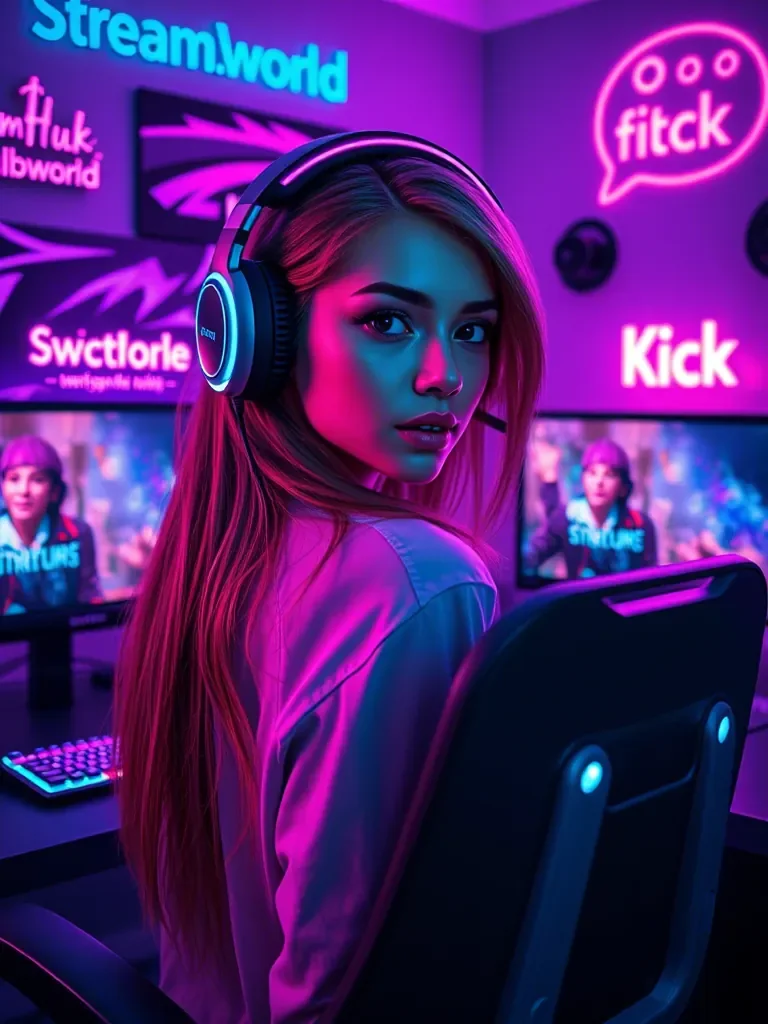
The Foundation: Choosing the Right Ergonomic Chair
Your chair is the cornerstone of your ergonomic setup. It’s where you spend the majority of your streaming time, making its selection paramount. Resist the temptation to opt for aesthetics alone; functionality, adjustability, and support are far more critical.
Key Features to Look For in an Ergonomic Chair
A truly ergonomic chair provides comprehensive support and allows for dynamic adjustment to fit your unique body shape and posture. Here are the non-negotiable features:
- Adjustable Seat Height: Allows your feet to rest flat on the floor or a footrest, with your thighs parallel to the floor.
- Seat Depth Adjustment: Ensures a 2-4 inch gap between the edge of the seat and the back of your knees, preventing pressure on your circulation.
- Lumbar Support: A curve that supports the natural inward curve of your lower back, crucial for maintaining a neutral spine. This should be adjustable both vertically and in terms of depth.
- Adjustable Armrests: Should allow your arms to rest comfortably, keeping your elbows at approximately a 90-100-degree angle to your keyboard and mouse. Look for 3D or 4D adjustability (height, depth, swivel).
- Backrest Recline and Tension Control: The ability to recline and lock the backrest at various angles, coupled with tension control to match your body weight, encourages movement and reduces spinal load.
- Swivel Base: Allows for easy rotation without straining your back.
- Durable, Breathable Material: Prevents heat buildup and ensures comfort during long sessions. Mesh or high-quality fabric is often preferred over synthetic leather.
- Headrest (Optional but Recommended): Provides neck support during breaks or when reclining, but shouldn't push your head forward during active work.
Gaming Chairs vs. Office Chairs: A Critical Analysis
The market is flooded with "gaming chairs" that often prioritize aggressive aesthetics over true ergonomic principles. While some high-end gaming chairs are improving, many fall short when compared to purpose-built ergonomic office chairs designed for prolonged professional use.
Gaming Chairs:
- Pros: Often have a distinctive, sporty look; may come with integrated features like footrests or vibrating lumbar massage (though these are often gimmicky).
- Cons: Many use a bucket seat design that restricts movement; lumbar support is often a fixed cushion rather than an adjustable integrated mechanism; armrests may lack sufficient adjustability; materials can be less breathable, leading to discomfort. The "racing" aesthetic doesn't inherently translate to ergonomic benefit.
Ergonomic Office Chairs:
- Pros: Designed from the ground up with adjustability and support as primary concerns; superior lumbar support mechanisms; highly adjustable armrests, seat depth, and recline; premium materials for durability and breathability; focus on promoting dynamic sitting and healthy posture.
- Cons: Often have a more "corporate" aesthetic, which some streamers might find less visually appealing; typically higher initial investment for truly premium models.
Verdict: For serious streamers, a well-designed ergonomic office chair is almost always the superior choice for long-term health and comfort. While gaming chairs have their place, their ergonomic claims should be scrutinized carefully against the features listed above.
Table 1: Ergonomic Chair Feature Comparison
| Feature | Basic Gaming Chair | Mid-Range Gaming Chair | High-End Ergonomic Office Chair |
|---|---|---|---|
| Lumbar Support | Fixed cushion, often uncomfortable | Adjustable cushion, limited range | Integrated, adjustable (height & depth) |
| Seat Depth Adjustment | Rarely available | Sometimes available | Standard feature |
| Armrest Adjustability | Fixed or 2D (height) | 3D (height, depth, swivel) | 4D (height, depth, swivel, angle) |
| Backrest Recline & Tension | Basic recline, limited tension | Good recline, moderate tension control | Extensive recline, precise tension control |
| Material | PU Leather (less breathable) | Fabric/PU Leather mix (some breathability) | Mesh/Fabric (highly breathable, durable) |
| Headrest | Fixed cushion, often poorly positioned | Adjustable cushion | Integrated, supportive, or no headrest (designed for neck freedom) |
| Price Range (Approx.) | £100 - £250 | £250 - £450 | £500 - £1500+ |
Building Your Command Center: Ergonomic Desks
Your desk is more than just a surface; it's the central hub of your streaming operation. Its height, depth, and ability to accommodate your equipment all play a vital role in maintaining good posture and comfort.
Standing Desks: A Game Changer?
The rise of the standing desk has revolutionized office and streaming environments. The core benefit is promoting movement and reducing the static load on your spine. Alternating between sitting and standing throughout your stream can significantly mitigate the negative effects of prolonged sitting.
- Benefits:
- Reduces back and neck pain.
- Improves circulation.
- Boosts energy levels and focus.
- Burns more calories than sitting.
- Encourages micro-movements.
- Considerations:
- Don't stand all day: The goal is to alternate. Excessive standing can also lead to fatigue and foot/leg pain.
- Anti-fatigue mat: Essential for comfort when standing.
- Proper standing posture: Engage your core, keep your head level, shoulders relaxed.
Types of Standing Desks:
- Electric Standing Desks: Motorized, allowing for easy, push-button height adjustment. Offer the most convenience and encourages frequent transitions.
- Manual Standing Desks: Adjusted via a crank mechanism. More affordable but less convenient for frequent changes.
- Desk Converters: Sit on top of an existing desk, converting it into a sit-stand workstation. A budget-friendly option for testing the waters.
Desk Height and Depth
Whether you choose a standing desk or a traditional sitting desk, its dimensions are critical:
- Height: When sitting, your desk should allow your elbows to rest at a 90-100-degree angle with your shoulders relaxed, keyboard and mouse accessible without reaching. For standing, the same principle applies – elbows at 90-100 degrees when hands are on the keyboard.
- Depth: Sufficient depth is needed to place your monitor(s) at arm's length (about 20-30 inches from your eyes) while leaving space for your keyboard, mouse, and other peripherals.
- Width: Ample width is necessary to accommodate multiple monitors, microphones, webcams, and other streaming gear without feeling cramped.
Cable Management and Monitor Arms
These often-overlooked elements significantly impact ergonomics and overall setup efficiency:
- Cable Management: A tidy desk reduces clutter, creates more usable space, and prevents accidental disconnections. Use cable trays, sleeves, ties, and clips.
- Monitor Arms: Free up desk space and, crucially, allow for precise adjustment of monitor height, depth, and angle. This is vital for achieving optimal eye-level screen placement and reducing neck strain.
Table 2: Standing Desk Types and Features
| Type | Height Adjustment | Speed/Ease of Use | Weight Capacity | Typical Price Range |
|---|---|---|---|---|
| Electric Standing Desk | Motorized, precise memory presets | Very fast, effortless (button press) | High (100-200kg+) | £250 - £800+ |
| Manual Standing Desk | Crank mechanism | Slow, requires physical effort | Moderate (50-100kg) | £150 - £400 |
| Desk Converter | Spring-assisted lever, pneumatic | Moderate, some effort required | Low-Moderate (10-25kg) | £100 - £300 |
| Fixed Height Desk (Non-Adjustable) | None (static height) | N/A | Very High (static load) | £50 - £500+ (depending on material) |
Mastering Your Posture: The Core of Ergonomics
Even with the best equipment, poor posture will negate all its benefits. Understanding and practicing optimal posture is fundamental to ergonomic health.
The "Neutral Spine" Position
The goal is to maintain your spine's natural S-curve. This means your ears, shoulders, and hips should generally align vertically, and your lower back should retain its gentle inward curve.
- Sitting: Head balanced over shoulders, shoulders relaxed, slight arch in lower back, feet flat.
- Standing: Head balanced, shoulders relaxed, slight bend in knees, core engaged, weight distributed evenly.
Step-by-Step Guide to Optimal Seating Posture
Follow these steps to set up your ergonomic posture:
- Feet Flat on the Floor: Ensure both feet are flat on the floor or a stable footrest. Your ankles should be directly beneath your knees.
- Hips at 90-100 Degrees: Your hips should be slightly higher than your knees, creating an open angle (90 to 100 degrees). This helps maintain the natural curve of your lower back.
- Lower Back Supported: Adjust your chair's lumbar support to fill the natural inward curve of your lower back. You should feel gentle, firm support.
- Shoulders Relaxed and Back: Avoid hunching. Let your shoulders relax down and back, away from your ears.
- Elbows at 90-100 Degrees: Your forearms should be parallel to the floor, and your elbows should be close to your body, forming a 90 to 100-degree angle. Adjust armrests to support this position without shrugging your shoulders.
- Wrists Straight: Keep your wrists straight and in line with your forearms, avoiding bending them up, down, or to the side. Use a wrist rest if needed, but only for resting, not for typing.
- Monitor at Eye Level: The top of your monitor screen should be at or slightly below eye level. This prevents neck strain from looking up or down.
- Keyboard and Mouse Placement: Position your keyboard directly in front of you, close enough so your elbows remain at 90-100 degrees. Your mouse should be close beside it, requiring minimal reach.
Active Sitting and Micro-Breaks
Even perfect static posture is not enough. The human body thrives on movement. Practice active sitting by making small adjustments throughout your session. Shift your weight, gently rock, and change your recline angle. Integrate micro-breaks – short, frequent pauses to stretch, stand up, and move around – into your streaming routine. A quick 30-second stretch every 20-30 minutes can make a world of difference.
Optimizing Your Peripherals and Environment
Beyond the major components, your peripherals and the surrounding environment also play a crucial role in overall ergonomic comfort.
Keyboard and Mouse Ergonomics
- Ergonomic Keyboards: Consider split keyboards, ergonomic wave designs, or those with adjustable tilt to maintain natural wrist and hand positions. Mechanical keyboards, while popular, also vary widely in switch types and ergonomic profiles.
- Ergonomic Mice: Vertical mice can reduce forearm pronation and wrist twist. Trackballs are another alternative that minimizes wrist movement. Ensure your mouse fits comfortably in your hand without requiring a claw grip or excessive finger strain.
- Wrist Rests: Use them for resting your wrists between typing or mousing, not during. Resting on them while typing can create pressure points.
Monitor Placement and Eye Strain
Eye strain is a pervasive issue for streamers. Proper monitor setup and habits can significantly reduce it:
- Distance: Position your monitor(s) about an arm's length (20-30 inches or 50-75 cm) from your eyes.
- Height: The top of your screen should be at or slightly below eye level. If you have multiple monitors, the primary one should follow this rule, and others should be adjusted to minimize head turning.
- Angle: Tilt the screen slightly backward to reduce glare.
- Anti-Glare Screens: Consider monitors with matte finishes or apply anti-glare filters.
- 20-20-20 Rule: Every 20 minutes, look at something 20 feet away for at least 20 seconds. This helps your eyes refocus and reduces strain.
- Screen Brightness and Contrast: Adjust to match your room's lighting.
Lighting and Room Setup
The ambient lighting in your streaming space affects both your comfort and your stream's visual quality.
- Ambient Lighting: Avoid direct glare on your screen from windows or harsh overhead lights. Use diffuse, indirect lighting.
- Backlighting: A bias light behind your monitor can reduce eye fatigue by lowering the contrast between the bright screen and dark background.
- Webcam Lighting: While crucial for your stream's look, ensure your key and fill lights are positioned to illuminate you without causing glare on your screen or straining your eyes.
Audio Equipment Placement
While often not directly posture-related, the placement of your microphone and headphones can impact your comfort over time.
- Microphone Boom Arms: Allow you to position your microphone optimally for audio quality without hunching over or reaching awkwardly.
- Headphones: Choose comfortable, lightweight headphones for long sessions. Ensure they fit well without clamping too tightly or causing pressure points.
Beyond Gear: Lifestyle and Habits
Ergonomic gear is merely a tool. Your daily habits and lifestyle choices are equally, if not more, important for long-term health and well-being.
The Importance of Regular Breaks
This cannot be overstated. Scheduled breaks are critical for physical and mental rejuvenation.
- Micro-Breaks (every 20-30 minutes): Stand up, stretch, look away from the screen.
- Longer Breaks (every 1-2 hours): Step away from your setup completely. Get a drink, walk around, do some light stretching or bodyweight exercises.
- Pomodoro Technique: Consider structured breaks, e.g., 25 minutes of streaming followed by a 5-minute break.
Exercise and Core Strength
A strong core supports your spine and improves posture. Regular physical activity, including strength training, yoga, or pilates, can significantly complement your ergonomic setup. Even simple stretches for the neck, shoulders, back, and wrists can be highly beneficial.
Hydration and Nutrition
Staying hydrated and maintaining a balanced diet are crucial for overall energy, focus, and reducing fatigue. Dehydration can exacerbate headaches and reduce mental acuity, directly impacting your streaming performance.
Investing in Longevity: The ROI of Ergonomics
The initial investment in ergonomic furniture and peripherals might seem substantial, but consider it an investment in your health, your career, and your future. The return on investment (ROI) is significant:
- Reduced Pain and Discomfort: Fewer aches mean less distraction and more focus on your content.
- Increased Productivity and Energy: A comfortable body translates to a more alert and engaging mind.
- Prevention of Long-Term Health Issues: Avoiding chronic pain, RSI, and other ailments means a longer, healthier streaming career.
- Enhanced Content Quality: When you're feeling good, your energy translates directly to your stream, leading to better engagement and a more enjoyable experience for your audience.
- Sustainable Career Growth: A healthy streamer is a successful streamer. By maintaining peak physical condition, you are better positioned to consistently deliver high-quality content and fully leverage marketing opportunities. For example, ensuring consistent content quality is easier when not battling discomfort, which in turn makes professional growth tools from streamhub.shop even more effective.
Focusing on your physical well-being allows you to concentrate on what truly matters for your channel's expansion. Ergonomics ensures you can show up, be present, and engage with your community without physical limitations. This foundational health commitment is as vital as understanding your analytics or utilizing services such as streamhub.shop for audience expansion and community building. Platforms like streamhub.shop offer valuable tools for channel growth, but their effectiveness is amplified when you, the streamer, are in optimal condition to produce and promote your best work.
Frequently Asked Questions
How often should I take breaks during a long stream?
Ideally, take a micro-break (stand, stretch, look away from the screen) every 20-30 minutes for at least 20-30 seconds. For longer streams, aim for a more substantial break (5-10 minutes) every 1-2 hours. Use these longer breaks to step away from your computer completely, move around, and hydrate.
Are standing desks truly better than sitting desks?
Standing desks are not inherently "better" if used improperly. Their primary benefit comes from allowing you to alternate between sitting and standing throughout your day. Prolonged standing can also lead to fatigue and discomfort. The key is movement and variation. A sit-stand desk that encourages frequent transitions is generally superior to a static sitting or standing setup.
What's the most common ergonomic mistake streamers make?
One of the most common mistakes is maintaining a static posture for too long, regardless of how "correct" it might initially be. The human body is designed for movement. Another frequent error is overlooking monitor height, leading to constant neck flexion or extension, or neglecting proper armrest and keyboard/mouse positioning, which causes wrist and shoulder strain.
Can an expensive ergonomic chair solve all my posture problems?
No, an expensive ergonomic chair is a tool, not a magic bullet. While a good chair provides excellent support and adjustability, it won't fix poor habits. You still need to actively engage with the chair's features, maintain good posture, take regular breaks, and incorporate movement into your routine. It's a combination of equipment and conscious behavior that yields results.
How can I improve my existing setup without buying new gear?
Start with what you have. Focus on posture: ensure your feet are flat, back supported, shoulders relaxed, and monitor at eye level (use books to elevate if needed). Optimize existing chair adjustments. Take frequent breaks and incorporate stretching. Reposition your keyboard and mouse to minimize reach and wrist deviation. Even small, conscious changes can make a significant difference in comfort and reduce strain.
Sustainable Streaming: A Commitment to Yourself
The world of streaming demands immense dedication, creativity, and resilience. By embracing ergonomic principles and making conscious choices about your setup and habits, you're not just preventing discomfort; you're building a foundation for a long, healthy, and successful career in content creation. Prioritize your well-being today, and your body will thank you for years to come, allowing you to focus on what you do best: entertaining and connecting with your audience.