In the dynamic realm of live streaming, where authenticity and engagement reign supreme, audio quality stands as an undisputed king. Visuals may capture initial attention, but it is crisp, clear, and immersive audio that truly keeps viewers captivated and coming back for more. For streamers, a high-quality gaming headset isn't merely an accessory; it's a foundational tool, bridging the gap between their gameplay world and their audience's ears. This comprehensive guide from StreamHub World delves deep into the critical factors streamers must consider when selecting the ideal headset, focusing intently on audio fidelity, microphone performance, and the paramount importance of long-term comfort.
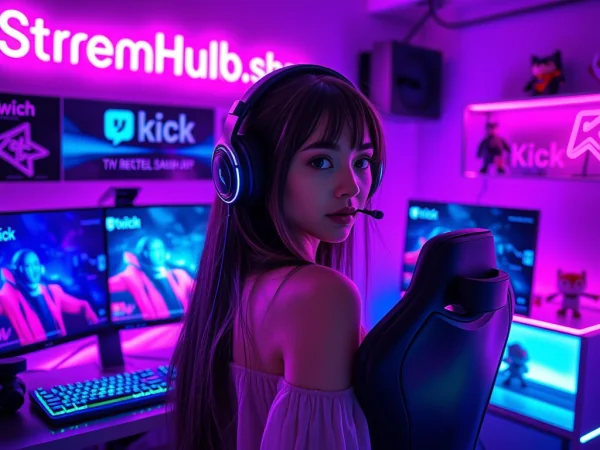
Why a Specialized Headset is Crucial for Streamers
Many aspiring streamers initially underestimate the profound impact of superior audio. They might leverage generic headphones or an integrated laptop microphone, quickly discovering the limitations of such setups. A dedicated gaming headset designed with streaming in mind offers a multifaceted solution that elevates both the streamer's personal experience and the broadcast's professional presentation.
The Dual Imperative: Immersion for You, Clarity for Your Audience
For the streamer, a top-tier headset provides crucial audio immersion, allowing them to pinpoint in-game sounds with precision, communicate effectively with teammates, and truly get lost in the game world. This immersion translates into more authentic reactions and compelling gameplay for the audience. Simultaneously, the headset's microphone is the direct conduit for the streamer's voice, commentary, and interactions. A subpar microphone introduces static, muffles speech, or picks up unwanted background noise, directly detracting from the viewer's experience and making the stream less enjoyable and professional. Investing in a quality headset signals a commitment to excellence, not only in gameplay but also in the overall production value of your content, which can be a significant differentiator in a crowded streaming landscape. Platforms such as streamhub.shop highlight how crucial professional presentation is for channel growth and audience retention, underscoring that every element of your setup contributes to your brand.
Key Pillars of Headset Selection for Streamers
Selecting the right headset involves a careful balancing act across several critical dimensions. Each aspect plays a vital role in the overall streaming experience.
Unpacking Audio Fidelity: Hearing Every Detail
The core function of any headset is sound reproduction. For streamers, this means not just hearing sounds, but understanding their nuance, direction, and intensity to react appropriately in-game and provide insightful commentary.
Drivers and Frequency Response
- Drivers: These are the small loudspeakers within the earcups that convert electrical signals into audible sound waves. Larger drivers (typically 40mm to 53mm) are often associated with a richer bass response and a wider soundstage, but size isn't the sole determinant of quality. The material and design of the driver are equally important.
- Frequency Response: Measured in Hertz (Hz), this indicates the range of frequencies the headset can reproduce. Human hearing generally spans 20 Hz (deep bass) to 20,000 Hz (treble). A wider and flatter frequency response typically indicates a more accurate and balanced sound profile, crucial for distinguishing subtle in-game cues like footsteps or distant gunfire, as well as enjoying game soundtracks without undue coloration.
Soundstage and Directional Audio
Soundstage refers to the perceived spaciousness and three-dimensionality of the audio. A wide soundstage makes it feel as though sounds are coming from around you, rather than just directly into your ears. This is particularly vital in competitive gaming where precisely locating enemy positions through audio cues can mean the difference between victory and defeat. Directional audio, often enhanced by virtual surround sound technologies, further refines this by creating a sense of sound origin from specific angles (front-left, rear-right, etc.).
Open-Back vs. Closed-Back Designs
- Closed-Back Headsets: These feature earcups that completely seal around your ears, creating passive noise isolation.
- Pros: Excellent for blocking out ambient noise (e.g., noisy environment, fan hum), preventing sound leakage (your game audio won't be picked up by your microphone), and providing impactful bass. Ideal for streamers in less-than-soundproof environments.
- Cons: Can feel less "airy" or natural, may lead to ear fatigue over long periods due to heat buildup, and often have a narrower soundstage compared to open-back designs.
- Open-Back Headsets: These have perforated earcups that allow sound to pass in and out freely.
- Pros: Offer a significantly wider, more natural, and "airy" soundstage, often leading to superior directional audio and a less fatiguing listening experience. They allow you to hear your own voice naturally, preventing the "clogged ear" feeling.
- Cons: Virtually no noise isolation (you'll hear your surroundings, and your surroundings will hear your game audio), making them unsuitable for noisy environments or situations where sound leakage is a concern for your microphone.
Microphone Mastery: Your Voice, Amplified
The microphone is arguably the most critical component for a streamer's headset. It's the primary way your audience connects with you, so clarity, presence, and noise rejection are paramount.
Unidirectional vs. Omnidirectional vs. Bidirectional
- Unidirectional (Cardioid) Microphones: These are the most common type for streaming headsets. They primarily pick up sound from one direction (in front of the mic), while rejecting sounds from the sides and rear.
- Pros: Excellent for isolating your voice and minimizing background noise, keyboard clicks, or fan hum.
- Cons: Requires precise positioning for optimal pickup.
- Omnidirectional Microphones: These pick up sound equally from all directions.
- Pros: Don't require precise positioning; good for capturing ambient room sound if desired (though rarely for streamers).
- Cons: Very susceptible to picking up all background noise, making them generally unsuitable for most streaming environments without heavy processing.
- Bidirectional (Figure-8) Microphones: These pick up sound from two opposite directions (front and back) while rejecting sounds from the sides.
- Pros: Useful for interviews or specific recording setups.
- Cons: Not typically found or recommended for single-user streaming headsets.
Noise Cancellation and Pop Filters
Many modern headset microphones incorporate active noise cancellation (ANC) or passive noise reduction technologies to further isolate your voice. ANC microphones use algorithms to identify and actively cancel out consistent background noises. A physical or integrated pop filter is essential to reduce plosives (harsh "p" and "b" sounds) that can be jarring to listeners.
Detachable Microphones and Boom Arms
A detachable microphone offers versatility, allowing you to use the headset purely for listening when not streaming or if you switch to a dedicated standalone microphone. A well-designed boom arm ensures the microphone can be positioned optimally near your mouth for consistent sound pickup, while also being sturdy enough to stay in place.
Ergonomics and Comfort: Marathon Streaming Sessions
Streamers often spend hours on end wearing their headsets. Discomfort can lead to fatigue, distraction, and even physical strain, making comfort a non-negotiable factor.
Earcup Materials and Clamping Force
- Earcup Materials:
- Velour/Fabric: More breathable, less prone to heat buildup, generally softer, but may not offer as much noise isolation.
- Leatherette/Protein Leather: Offers better noise isolation, often feels premium, but can trap heat and cause sweating over long periods.
- Memory Foam: Conforms to the shape of your head, distributing pressure evenly, often found underneath various fabric coverings.
- Clamping Force: This refers to how tightly the headset presses against your head. Too loose, and it slides around; too tight, and it causes pressure points and headaches. The ideal clamping force is firm enough to stay put but gentle enough to be forgotten.
Headband Design and Weight Distribution
A well-designed headband distributes the headset's weight evenly across the top of your head, preventing a single pressure point. Adjustable headbands, suspension systems, and ample padding are key. Lighter headsets generally contribute more to long-term comfort, especially during extended streaming marathons.
Connectivity and Compatibility: Seamless Integration
How your headset connects to your streaming rig can impact audio quality, latency, and overall convenience.
Wired (3.5mm, USB) vs. Wireless (2.4GHz, Bluetooth)
- Wired (3.5mm Analog):
- Pros: Zero latency, universal compatibility with many devices, no batteries to charge, often simpler plug-and-play.
- Cons: Restricts movement, cables can tangle or break.
- Wired (USB Digital):
- Pros: High-quality digital audio, can include built-in DACs (Digital-to-Analog Converters) and advanced software features, powers features like RGB lighting.
- Cons: Less universal than 3.5mm, occupies a USB port, still restricts movement.
- Wireless (2.4GHz RF):
- Pros: Low latency (often imperceptible), excellent range, freedom of movement, often come with a dedicated USB dongle.
- Cons: Requires battery charging, potential for interference in very crowded wireless environments, higher price point.
- Wireless (Bluetooth):
- Pros: Highly versatile, connects to many mobile devices, good for casual listening.
- Cons: Higher latency (can be noticeable for gaming/streaming), generally lower audio fidelity compared to 2.4GHz or wired, susceptible to interference. Not typically recommended as a primary streaming headset unless specifically optimized for low-latency gaming.
Platform Compatibility (PC, Console, Mobile)
Ensure your chosen headset is compatible with all the platforms you stream from. Most gaming headsets are primarily designed for PC, but many offer robust compatibility with PlayStation, Xbox, Nintendo Switch, and mobile devices, often through 3.5mm jacks or specific wireless dongles.
Advanced Features and Considerations
Software Ecosystems and Customization
Many premium gaming headsets come with proprietary software suites (e.g., SteelSeries GG, Razer Synapse, HyperX Ngenuity). These programs allow for extensive customization:
- EQ (Equalizer) settings: Fine-tune audio profiles for different game genres or music.
- Microphone settings: Adjust gain, noise gate, compression, and sidetone (hearing your own voice).
- Virtual surround sound activation and tuning.
- RGB lighting customization.
- Game/chat mix controls.
Virtual Surround Sound Technologies
Technologies like DTS Headphone:X, Dolby Atmos for Headphones, and Windows Sonic for Headphones aim to simulate a multi-speaker surround sound experience using just two headphone drivers. While not true discrete surround sound, they can greatly enhance spatial awareness in games by making sounds appear to come from distinct directions. For competitive streamers, this can be a significant advantage, and for immersive story-driven games, it can deepen the experience.
Build Quality and Durability
A headset is an investment, particularly for a professional streamer. Look for robust construction materials like steel or aluminum in the headband, high-quality plastics, and replaceable earcups and cables. A durable headset will withstand the rigors of daily use, travel, and accidental drops, offering better long-term value.
Top Contenders: Headset Categories and Recommendations
While specific models change with product cycles, understanding the categories helps in making informed decisions.
Premium Tier: Uncompromising Performance
These headsets offer the best in audio fidelity, microphone clarity, comfort, and advanced features. They are investments for professional streamers who demand the absolute best. Expect features like high-res audio, advanced noise cancellation, and superior build quality. Examples might include the SteelSeries Arctis Nova Pro Wireless, Audeze Maxwell, or Beyerdynamic MMX 300.
Mid-Range Marvels: Balancing Value and Quality
This category strikes an excellent balance between performance and price. You'll find solid audio, good microphones, and comfortable designs without breaking the bank. These are often the sweet spot for serious aspiring or established streamers. Examples could be the HyperX Cloud III Wireless, Razer BlackShark V2 Pro, or Logitech G Pro X 2 LIGHTSPEED.
Budget-Friendly Options: Entry Point Excellence
For streamers just starting out or those on a tight budget, these headsets offer decent performance at an accessible price. While they might compromise on some premium features or materials, they still provide a significant upgrade over generic audio solutions. Look for options like the HyperX Cloud Stinger Core or Corsair HS55.
The Streamer's Checklist: A Step-by-Step Selection Guide
To simplify your decision, follow this structured approach:
- Define Your Budget: Establish a realistic price range. This immediately narrows down your options.
- Assess Your Environment: Is your streaming space quiet or noisy? This dictates the need for closed-back design and strong microphone noise cancellation.
- Prioritize Audio Use: Are you primarily playing competitive FPS (requiring precise soundstage) or single-player narrative games (requiring immersion)?
- Evaluate Microphone Importance: If your voice is central to your content (commentary, interviews), a top-tier microphone is paramount. If you plan to upgrade to a standalone mic later, a decent integrated mic will suffice for now.
- Consider Connectivity: Do you need wireless freedom, or is a reliable wired connection acceptable? Factor in latency implications for competitive play.
- Test for Comfort: If possible, try on headsets for extended periods. Pay attention to earcup pressure, headband weight, and material breathability.
- Check Compatibility: Ensure the headset works seamlessly with all your streaming platforms (PC, console, mobile).
- Read Reviews and Watch Demos: Consult expert reviews and listen to microphone test recordings from different headsets to get real-world performance insights.
- Look for Essential Features: Does it have a detachable mic, inline controls, or software customization that you deem necessary?
Optimizing Your Headset for Peak Streaming Performance
Once you've chosen your headset, a few steps can ensure you're getting the best out of it:
- Microphone Placement: Position the microphone boom arm about 1-2 inches from the corner of your mouth, slightly to the side to avoid plosives directly hitting the mic.
- Adjust Mic Gain: Use your streaming software (OBS, Streamlabs Desktop) or headset software to set the microphone gain. Aim for your voice to peak in the yellow range on the audio meter, avoiding red (clipping) and keeping it out of the low green (too quiet).
- Implement Noise Gates and Compressors:
- A noise gate will cut off your microphone audio when it falls below a certain threshold, effectively eliminating background hums when you're not speaking.
- A compressor evens out your vocal volume, making quiet parts louder and loud parts softer, resulting in a more consistent and professional sound for your audience.
- Utilize EQ Settings: Experiment with your headset's software EQ to find a sound profile that enhances clarity for your voice and provides optimal in-game audio balance.
- Monitor Your Audio: Routinely listen back to your VODs or use a "monitor audio" feature in your streaming software to hear exactly what your audience hears. This helps you catch and correct any issues.
- Maintain Your Headset: Regularly clean earcups and the microphone foam. Keep cables tidy and avoid extreme temperature changes to prolong its lifespan.
Data-Driven Insights: Headset Comparison Tables
Here are two illustrative tables comparing key features and microphone specifications of popular headsets. Remember that specifications can vary slightly by region and revision.
Table 1: Key Specifications Comparison (Illustrative Examples)
| Feature | SteelSeries Arctis Nova Pro Wireless | Razer BlackShark V2 Pro (2023) | HyperX Cloud III Wireless | Beyerdynamic MMX 300 (2nd Gen) |
|---|---|---|---|---|
| Connectivity | Wireless (2.4GHz + Bluetooth), Wired (USB, 3.5mm) | Wireless (2.4GHz), Wired (3.5mm) | Wireless (2.4GHz), Wired (USB) | Wired (3.5mm) |
| Driver Size | 40mm Neodymium | 50mm TriForce Titanium | 53mm Dynamic | 40mm Dynamic |
| Frequency Response (Headphones) | 10 Hz – 40,000 Hz | 12 Hz – 28,000 Hz | 10 Hz – 21,000 Hz | 5 Hz – 35,000 Hz |
| Microphone Type | ClearCast Gen 2 (Retractable) | HyperClear Supercardioid (Detachable) | Electret Condenser (Detachable) | Condenser (Detachable) |
| Design | Closed-Back, Over-Ear | Closed-Back, Over-Ear | Closed-Back, Over-Ear | Closed-Back, Over-Ear |
| Platform Compatibility | PC, PS, Switch, Mobile | PC, PS, Switch, Mobile | PC, PS, Switch, Mobile | PC, PS, Xbox, Switch, Mobile |
| Approx. Price Range (USD) | $350 - $380 | $180 - $200 | $160 - $180 | $280 - $300 |
Table 2: Microphone Performance Metrics (Illustrative Examples)
| Feature | SteelSeries Arctis Nova Pro Wireless | Razer BlackShark V2 Pro (2023) | HyperX Cloud III Wireless | Beyerdynamic MMX 300 (2nd Gen) |
|---|---|---|---|---|
| Mic Pickup Pattern | Bidirectional (Noise-Cancelling) | Supercardioid | Unidirectional (Noise-Cancelling) | Cardioid |
| Mic Frequency Response | 100 Hz – 10,000 Hz | 100 Hz – 10,000 Hz | 50 Hz – 17,000 Hz | 30 Hz – 18,000 Hz |
| Mic Sensitivity | -38 dBV/Pa | -42 dBV/Pa | -42 dBV/Pa | -30 dBV/Pa |
| Noise Cancellation | AI-Powered Noise Cancellation | Advanced Passive Noise Isolation | Built-in Noise-Cancelling Mesh | High-Quality Condenser |
| Boom Arm Type | Retractable, Flexible | Detachable, Flexible | Detachable, Flexible | Detachable, Flexible |
The Longevity of Your Gear: Maintenance and Upgrade Cycles
Even the best headset will degrade over time without proper care. Regular cleaning of earcups (especially leatherette) and speaker grills prevents debris buildup. Storing your headset on a stand reduces stress on headbands and cables. While a high-quality headset can last for many years, technology evolves. Consider upgrading every 3-5 years to take advantage of advancements in audio drivers, wireless technology, and microphone clarity. This commitment to maintaining a professional setup is akin to the strategic investments streamers make in tools and services, such as those offered by streamhub.shop, to continually enhance their presence and audience engagement.
Frequently Asked Questions (FAQ)
Q1: Is a standalone microphone always better than a headset mic?
A: Generally, yes, a dedicated standalone microphone (like a USB condenser or an XLR microphone with an audio interface) will almost always offer superior audio quality compared to even the best headset microphone. Standalone mics typically have larger capsules, better preamps, and are less susceptible to picking up vibrations from your headset. However, modern high-end headset microphones have significantly improved, offering excellent clarity and noise reduction that is perfectly adequate for many streamers, especially when budget or space is a concern. The convenience of an all-in-one solution often outweighs the marginal audio improvement for non-professional voice-over work.
Q2: What's the real difference between wired and wireless latency for streaming?
A: For wired headsets (3.5mm or USB), latency is practically zero – imperceptible to human ears. For wireless headsets, it depends on the technology. Bluetooth typically has noticeable latency (50-200ms), which can be very distracting in fast-paced games and create a slight delay between your on-screen actions and the audio feedback. 2.4GHz wireless gaming headsets, however, use a dedicated dongle and proprietary low-latency protocols, often achieving latency figures below 20ms, which is generally imperceptible for gaming and streaming. For competitive gaming and synchronized streaming, 2.4GHz wireless is the minimum recommended for wireless, while wired remains the gold standard for zero delay.
Q3: How important is virtual surround sound for competitive streaming?
A: Virtual surround sound can be a significant advantage in competitive games, particularly first-person shooters, where precise sound localization (footsteps, gunshots, ability cues) is critical. It helps create a more expansive soundstage and makes it easier to discern the direction from which sounds are originating. While not a replacement for raw skill, it provides an additional layer of information that can lead to quicker reaction times and better situational awareness. For streamers, this translates into more informed gameplay and more engaging commentary as you react to cues effectively. However, it's crucial to note that not all virtual surround sound implementations are equal; some are more effective and natural-sounding than others.
Q4: Can I use my audiophile headphones with a separate mic for streaming?
A: Absolutely, and many professional streamers opt for this setup. High-quality audiophile headphones often offer superior sound reproduction, comfort, and build quality compared to dedicated gaming headsets. Pairing them with a separate, dedicated microphone (either a USB mic or an XLR mic with an audio interface) provides the best of both worlds: pristine listening experience and broadcast-quality voice. This modular approach allows for upgrading components independently and generally offers the highest fidelity in both input and output audio. It does, however, typically come at a higher combined cost and involves more cables and separate devices.
Q5: How often should I replace my gaming headset?
A: The lifespan of a gaming headset can vary wildly based on its build quality, how often it's used, and how well it's maintained. A high-quality headset from a reputable brand, with proper care, can easily last 3-5 years or even longer. More budget-friendly options might show wear and tear or electronic issues within 1-2 years. Factors indicating a need for replacement include significant audio degradation (crackling, channel imbalance), microphone failure, physical damage (snapped headband, frayed cables), or general discomfort from worn-out earcups and padding. Regular cleaning and replacing easily wearable parts like ear pads can extend its life considerably. However, technological advancements in audio and mic quality might make upgrading worthwhile even if your current headset is still functional.
Conclusion: Your Audio Journey Begins
Choosing the best gaming headset for streaming is a nuanced decision that demands careful consideration of audio fidelity, microphone performance, and long-term comfort. As a streamer, your voice and the sounds of your gameplay are the primary ways your audience experiences your content. Investing wisely in a headset isn't just about buying gear; it's about investing in the quality of your broadcast, the engagement of your viewers, and ultimately, the success of your channel. By understanding the key pillars discussed in this guide, you can make an informed choice that elevates your stream from merely visible to truly captivating, ensuring every spoken word and every in-game sound resonates with your global audience.