In the vibrant, competitive landscape of live streaming and digital content creation, visibility is paramount. Yet, "being seen" transcends mere presence; it’s about clarity, aesthetic appeal, and the subtle communication of professionalism. While cutting-edge cameras and high-fidelity microphones often garner the most attention, the unsung hero of a compelling broadcast is, without question, superior lighting. It dictates mood, enhances your on-screen persona, and profoundly influences viewer perception and engagement. This comprehensive guide from StreamHub World delves into the essential gear, foundational techniques, and advanced strategies required to master your stream lighting, transforming your content from merely visible to truly captivating.
A well-lit setup isn't just about avoiding shadows; it's about crafting an intentional visual narrative that resonates with your audience. From the crispness of your facial features to the vibrancy of your background, every illuminated pixel contributes to your unique streaming identity.
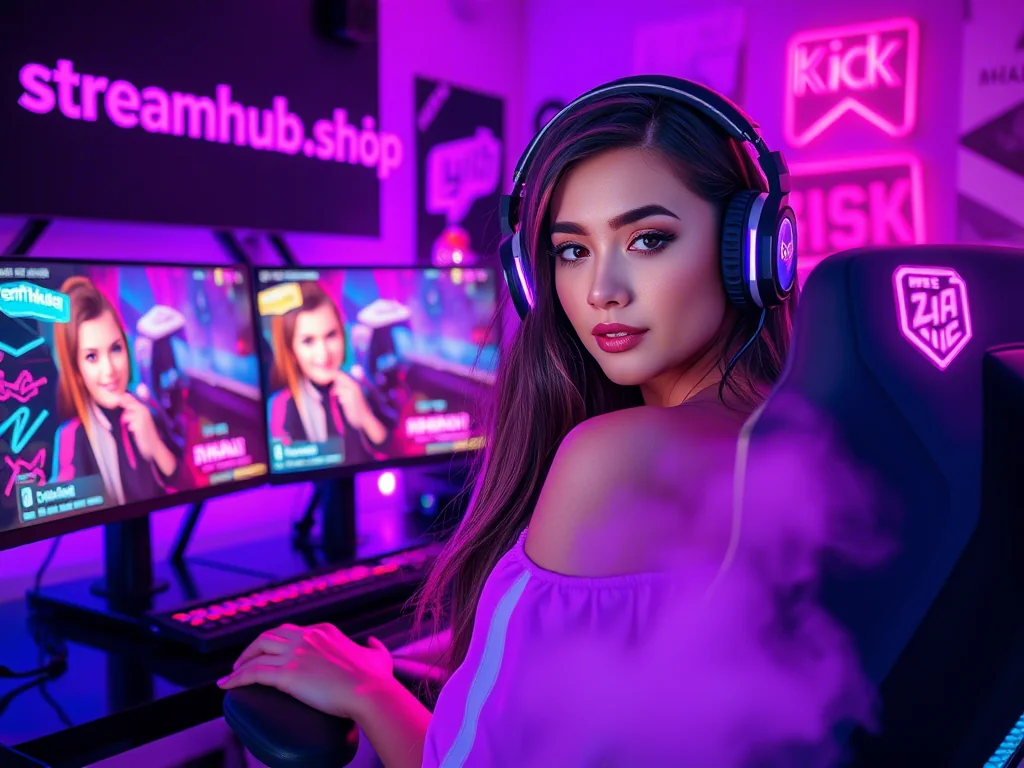
The Unseen Power of Professional Illumination
Many aspiring streamers underestimate the profound impact of proper lighting, often prioritizing other components of their setup. However, lighting is not merely an accessory; it is a foundational pillar of high-quality content production. Think of any major broadcast, film, or photography shoot – lighting is meticulously planned because it directly affects how subjects are perceived, dictating mood, drawing attention, and even enhancing the perceived quality of the camera itself.
For streamers, this means:
- Enhanced Visual Fidelity: Good lighting makes your camera, even a mid-range webcam, perform significantly better. It reduces noise, improves color accuracy, and brings out detail.
- Professional Aesthetics: A well-lit stream instantly conveys professionalism, signaling to viewers that you care about your production quality and, by extension, about their viewing experience. This builds trust and credibility.
- Improved Viewer Engagement: Viewers are more likely to stay engaged with content that is visually pleasing and easy on the eyes. Harsh shadows, blown-out highlights, or an overly dark scene can cause fatigue and lead to higher bounce rates.
- Brand Consistency: Lighting can be a powerful tool for brand building. Consistent lighting styles, color temperatures, and ambient effects contribute to a recognizable visual signature for your channel.
- Comfort and Confidence: When you look good on camera, you feel good. This boost in confidence can translate into more engaging and dynamic performances.
Understanding the Fundamentals of Light
Before diving into gear, it's crucial to grasp the basic principles that govern how light behaves and how we can manipulate it to our advantage.
Key Lighting Terminology
- Color Temperature (Kelvin): Measured in Kelvin (K), this describes the "warmth" or "coolness" of a light source. Lower Kelvin values (e.g., 2700K-3200K) produce warm, orange-yellow light (like incandescent bulbs or sunset). Higher values (e.g., 5000K-6500K) produce cool, blue-white light (like daylight or fluorescent tubes). For streaming, a balanced 5000K-5600K is often preferred, mimicking natural daylight, though warmer tones can create a cozy atmosphere.
- Brightness (Lux/Lumen): Lumens measure the total amount of visible light emitted by a source. Lux measures the intensity of light at a specific point on a surface. While manufacturers often list lumens, what matters most for streamers is how much light effectively reaches your face, which is influenced by distance and modifiers.
- Color Rendering Index (CRI): This scale (0-100) indicates how accurately a light source renders the colors of objects compared to natural light. A higher CRI (90+) is essential for streamers to ensure skin tones, product colors, and background elements appear true-to-life and vibrant.
- Diffusion: The process of spreading light out to soften its quality. Undiffused light is "hard," creating harsh shadows. Diffused light is "soft," creating gentle, gradual shadows and a more flattering look. This is achieved with softboxes, diffusers, or even sheer fabrics.
- Hard vs. Soft Light:
- Hard Light: Comes from a small, direct light source (e.g., bare LED bulb). Creates sharp, well-defined shadows and high contrast. Can be dramatic but often unflattering for faces.
- Soft Light: Comes from a large, diffused light source (e.g., a softbox or large LED panel with a diffuser). Creates gentle, feathered shadows and lower contrast. Highly flattering and commonly used for video and portraiture.
The Three-Point Lighting System
The cornerstone of professional lighting, regardless of medium, is the three-point lighting system. This classic setup uses three distinct light sources to illuminate a subject effectively, adding depth and dimension. While you can start with just one or two lights, understanding this system provides a robust framework for advanced setups.
- Key Light: This is your primary and brightest light source. It's usually positioned slightly off-center (typically 30-45 degrees to the left or right) and elevated slightly above your eye level. Its purpose is to illuminate the main features of your face, providing the most significant portion of your subject's illumination.
- Fill Light: Placed opposite the key light, the fill light's role is to soften or "fill in" the shadows created by the key light. It should be less intense than the key light (often 50-75% of the key's brightness) to maintain some depth and avoid a flat look. A reflector can often serve as an effective, passive fill light.
- Back Light (Hair Light/Rim Light): Positioned behind you, often slightly off-center and elevated, the back light separates you from your background. It creates a subtle glow or "rim" of light around your shoulders and hair, adding depth and preventing you from blending into the scene.
Essential Stream Lighting Gear
The market is flooded with lighting options, from budget-friendly solutions to professional studio setups. Here's a breakdown of the most common and effective gear for streamers.
Primary Light Sources
- Ring Lights: Circular lights that you typically position directly in front of you, with the camera lens shooting through the center.
- Pros: Excellent for flattering, shadowless frontal illumination, creating attractive "catchlights" in the eyes. Often compact and easy to set up. Many come with adjustable color temperature and brightness.
- Cons: Can cause glare on glasses if not positioned carefully. Primarily a key light; less versatile for complex setups.
- Best For: Beauty streamers, solo talking-head content, makeup tutorials, general-purpose key lighting.
- LED Panels: Rectangular light fixtures composed of many individual LED bulbs. They come in various sizes and often include diffusers.
- Pros: Highly versatile; can be used as key, fill, or back lights. Many offer precise control over brightness and color temperature (bi-color) or even full RGB spectrum (RGBWW). Durable and energy-efficient.
- Cons: Bare panels produce hard light, requiring separate diffusion. Can be more expensive than basic ring lights.
- Best For: Any type of streamer needing flexible, powerful, and controllable light. Essential for three-point lighting setups.
- Softboxes: These are light modifiers attached to a light source (often a traditional photography strobe or a powerful LED bulb). They consist of a fabric enclosure that diffuses and shapes the light.
- Pros: Produce incredibly soft, flattering light that wraps around the subject, minimizing harsh shadows. Excellent for professional-looking video.
- Cons: Can be bulky and take up significant space. Setup can be more involved.
- Best For: Streamers with dedicated studio spaces, those seeking cinema-quality soft lighting, and professionals who prioritize light quality above all else.
- Traditional Studio Lights (e.g., COB LEDs with modifiers): These are powerful, continuous output lights that typically require separate modifiers like softboxes, parabolic reflectors, or fresnels.
- Pros: Offer immense power, precise control, and a wide array of modifier options for highly sculpted lighting.
- Cons: Expensive, bulky, generate heat, and require significant space and knowledge to operate effectively.
- Best For: High-end production studios, large-scale content creators, or those with very specific, demanding lighting needs.
Light Modifiers & Accessories
- Diffusers: Translucent materials (sheets, cloths, or built-in panels) placed between the light source and the subject to soften the light. Crucial for flattering illumination.
- Reflectors: Passive surfaces (silver, gold, white) used to bounce existing light onto a subject, often serving as a cost-effective fill light. Silver for brighter, cooler reflection; gold for warmer tones; white for soft, neutral fill.
- Gels/Filters (RGB): Colored plastic sheets placed over lights to change their color. Used for mood lighting, branding, or correcting color temperature. Many modern LED panels have built-in RGB capabilities.
- Stands/Mounts: Essential for positioning your lights. C-stands, light stands, desk mounts, and clamp mounts offer various solutions for stability and placement.
- Smart Lighting Integration: Devices like Elgato Key Light Air, Nanoleaf panels, or Philips Hue bulbs offer app control, integration with stream decks, and dynamic effects, adding convenience and creative flair to your setup.
| Fixture Type | Key Features | Best For | Price Range (Approx. USD) | Pros | Cons |
|---|---|---|---|---|---|
| Ring Light | Circular shape, direct frontal illumination, often dimmable and bi-color. | Beauty streamers, close-up face shots, quick setups. | $30 - $150 | Even, flattering light; good for catchlights; compact. | Can cause glasses glare; less versatile for multi-light setups. |
| LED Panel (e.g., Elgato Key Light) | Rectangular panel with multiple LEDs, often bi-color or RGBWW, adjustable brightness. | General content creation, key/fill/back light, versatile use. | $70 - $300+ | Versatile, powerful, energy-efficient, precise control. | Can be hard without diffusion; higher initial cost for quality. |
| Softbox (with LED Bulb) | Fabric enclosure over a light source, creating a large diffused area. | Professional look, interview setups, cinematic quality. | $50 - $250 (per unit) | Extremely soft, flattering light; minimizes harsh shadows. | Bulky, takes up space, more involved setup. |
| Desk Clamp Light | Small LED panel or ring light on an arm that clamps to a desk. | Small spaces, minimalist setups, secondary accent lighting. | $20 - $80 | Space-saving, affordable, easy to position for subtle fill/key. | Limited power, small light spread, not suitable as primary key light for larger areas. |
Setting Up Your Stream Lighting: A Step-by-Step Guide
Achieving a professional look is an iterative process. Follow these steps, but be prepared to experiment and adjust.
Step 1: Assess Your Environment
- Natural Light: Identify sources of natural light (windows). While useful, natural light changes throughout the day, so it's often best to control it (e.g., with blackout curtains) or supplement it consistently.
- Room Size and Layout: Consider how much space you have for stands and light modifiers. Smaller spaces might necessitate compact solutions like desk-mounted lights or ring lights.
- Existing Fixtures: Overhead room lights can be problematic, often creating harsh shadows or undesirable color casts. Ideally, turn them off or use them minimally for ambient fill.
Step 2: Position Your Key Light
Your key light is the most important light. For a flattering look:
- Place it 45 degrees to the left or right of your camera, slightly in front of you.
- Elevate it so the light source is slightly above your eye level, pointing downwards towards your face. This creates a natural shadow under your chin and nose, adding dimension.
- The distance affects brightness and light quality. Closer means brighter and softer (as the light source appears larger relative to you). Start with it about 2-3 feet away and adjust.
Step 3: Introduce Your Fill Light
The fill light softens the shadows created by the key light without eliminating them entirely.
- Position it opposite your key light (e.g., if key is right, fill is left), also at a 45-degree angle.
- Adjust its brightness to be less intense than your key light. The goal is to reduce shadow harshness, not to create a second, equally strong light source. A ratio of 2:1 (key:fill) is a good starting point.
- Alternatively, a large white or silver reflector can work effectively as a passive fill, bouncing light from your key light back onto your face.
Step 4: Add the Backlight/Hair Light
The backlight provides separation, preventing you from blending into your background.
- Place it behind you and slightly off-center, pointing towards the back of your head and shoulders.
- Elevate it so it's mostly out of frame and creates a subtle rim of light around your outline.
- Its intensity should typically be lower than your key light, just enough to create that separation.
Step 5: Control Your Background Lighting
Don't neglect your background! It contributes significantly to your stream's overall aesthetic.
- Use RGB light strips, accent lamps, or small LED panels to add depth and visual interest.
- Ensure the background lighting complements your foreground, matching color temperatures or creating intentional contrasts for mood.
- Avoid excessively bright or distracting elements in the background that compete with you.
Step 6: Diffuse and Refine
Most LED panels, especially budget ones, produce somewhat harsh light. Diffusion is key.
- Utilize built-in diffusers, attach softboxes, or even experiment with DIY solutions like translucent shower curtains (ensure they are heat-safe!).
- The goal is to eliminate harsh hotspots on your face and create a smooth, even spread of light.
Step 7: Test, Adjust, Repeat
This is arguably the most crucial step:
- Use your camera's live preview (or record short clips) to see how your lighting looks.
- Adjust brightness, color temperature, and position of each light individually.
- Pay attention to shadows, reflections (especially if you wear glasses), and overall exposure.
- Solicit feedback from trusted viewers or friends. What looks good to you might appear different to others.
- Make sure your camera's white balance is correctly set for your chosen color temperature.
Advanced Lighting Techniques and Optimization
Once you've mastered the basics, consider these techniques to elevate your stream further.
Color Temperature Management
Beyond simply choosing 5600K, consider how color temperature can set a mood:
- Warm Tones (3200K-4000K): Can create a cozy, inviting, or even dramatic atmosphere. Great for chill streams, storytelling, or late-night sessions.
- Cool Tones (6000K-6500K): Mimic bright daylight, often associated with high energy, professionalism, and clarity. Ideal for educational content, high-energy gaming, or product reviews.
- Matching Ambient Light: If you have natural window light, try to match its color temperature with your artificial lights to avoid mixed lighting, which can cause color inconsistencies.
Utilizing RGB Lighting for Mood and Branding
RGB lights aren't just for gaming PCs. They can be powerful tools for streamers:
- Dynamic Backgrounds: Use RGB strips or panels to cast ambient color onto your background, creating dynamic scenes that react to game events, chat commands, or music.
- Brand Colors: Incorporate your channel's brand colors into your lighting setup for instant recognition and consistency.
- Thematic Content: Change your lighting colors to match the theme of your game, holiday, or special event.
Green Screens and Chromakey Lighting
For streamers using a green screen (or blue screen), even lighting is paramount:
- Even Illumination: The green screen itself must be lit evenly, without hot spots or shadows. Use two lights pointed directly at the screen, one from each side, making sure they don't spill onto you.
- Separation Light: A strong backlight is even more crucial here to prevent "green spill" (where the green light reflects onto you), ensuring a clean key.
- Distance: Maintain a good distance between yourself and the green screen to allow for separate lighting of each and to minimize spill.
Solving Common Lighting Problems
- Glasses Glare: This is a common challenge.
- Raise Lights Higher: Elevate your key light significantly so the light reflects downwards, away from your lenses.
- Widen Angle: Move your lights further to the sides (more than 45 degrees) to bounce light away from the camera's perspective.
- Reduce Brightness: Sometimes simply dimming the lights slightly can help.
- Use Diffusion: Softer light is less likely to create pinpoint glare.
- Tilt Glasses: A slight tilt of your glasses can sometimes redirect reflections.
- Uneven Lighting/Hotspots:
- Increase Diffusion: Use larger diffusers or move lights further back.
- Adjust Power: Reduce the brightness of the offending light.
- Re-position: Experiment with angles and distances.
- Harsh Shadows:
- Introduce Fill Light: Add or brighten your fill light.
- Use Reflectors: Bounce light into the shadowed areas.
- Soften Key Light: Employ more diffusion on your key light.
| Component | Budget Option (Approx. USD) | Premium Option (Approx. USD) | Key Difference/Advantage of Premium |
|---|---|---|---|
| Key Light | Basic 10-inch USB Ring Light ($30-50) | Elgato Key Light / Aputure Amaran 100D with Softbox ($150-300+) | Power output, CRI, precise color/brightness control, ecosystem integration (Elgato). |
| Fill Light | Small LED Desk Lamp / White Reflector ($10-30) | Second LED Panel (e.g., Godox SL60W with Octabox) ($100-250+) | Controllable light source, better light quality, more flexible positioning. |
| Back Light | RGB LED Strip (behind monitor) ($15-40) | Nanoleaf Shapes / Hue Play Light Bar / Small RGB LED Panel ($70-200+) | Dynamic effects, smart home integration, richer color, dedicated light. |
| Stands/Mounts | Basic Desk Stands / Tripods ($10-30 each) | Professional C-Stands / Articulating Boom Arms ($50-150 each) | Stability, heavy-duty build, precise articulation, wider reach, cable management. |
| Diffusion | Built-in diffuser on cheap light / DIY parchment paper | Dedicated Softbox / Grid / Frosted Diffusion Panel ($20-100+) | Superior light softening, shaping, and spill control. |
The Symbiotic Relationship: Lighting, Camera, and Content Strategy
It's crucial to understand that lighting doesn't exist in a vacuum. It works in tandem with your camera settings and your overall content strategy. A fantastic camera with poor lighting will always look worse than a modest webcam with excellent lighting. By providing your camera with abundant, high-quality light, you allow its sensor to perform optimally, reducing image noise and improving clarity and color saturation.
Investing time in your lighting setup is a direct investment in your channel's professional image. It signals to your audience that you are committed to delivering the best possible viewing experience. For creators looking to further enhance their overall stream quality and reach, professional services like streamhub.shop offer robust solutions for channel growth, including audience engagement tools and promotional strategies that complement your visually polished broadcasts. Just as good lighting attracts the eye, effective growth services help you capture and retain those eyes, fostering a loyal community around your high-quality content.
Future Trends in Stream Illumination
The world of lighting technology is constantly evolving:
- AI-Powered Lighting: Imagine lights that automatically adjust based on your facial expressions, the game you're playing, or even your audience's sentiment in chat.
- Deeper Smart Home Integration: More seamless control of all lighting elements through voice commands or centralized apps, creating a cohesive smart studio.
- Personalized Lighting Profiles: Pre-set lighting "scenes" for different content types (e.g., "Gaming Mode," "Interview Setup," "Chill Stream") that can be activated with a single click or voice command.
- Miniaturization and Portability: Even more powerful and versatile lights in smaller, more travel-friendly form factors.
Frequently Asked Questions
Can I use household lamps for stream lighting?
While you *can* use household lamps in a pinch, they are generally not ideal. Most household lamps produce warm, low-CRI light (around 2700K-3000K) and often create harsh, directional light unless heavily diffused. They lack the brightness, color temperature control, and high CRI necessary for professional streaming. If you must use them, try to find daylight-balanced (5000K-6500K) LED bulbs with high CRI (90+) and diffuse them heavily with parchment paper or a sheer white cloth (ensure safety regarding heat).
What's the ideal color temperature for streaming?
The "ideal" color temperature for streaming is generally between 5000K and 5600K. This range mimics natural daylight and provides a clean, neutral white light that is flattering for most skin tones and colors. It allows for accurate color representation, which is crucial for branding and visual consistency. However, you can experiment with warmer tones (3200K-4000K) for a cozier or more cinematic mood, or cooler tones (6000K+) for a more energetic or "clinical" look, depending on your content and brand.
How do I reduce glare on my glasses?
Reducing glasses glare is a common challenge. The most effective strategies involve: 1. Raising your key light significantly higher than your eye line, pointing downwards. 2. Moving your key light further to the side (more than 45 degrees) so the angle of reflection misses your camera. 3. Using larger and more diffused light sources, which create softer, less pinpoint reflections. 4. Slightly tilting your glasses downwards on your face. 5. If all else fails, consider anti-reflective coatings on your lenses or even switching to contact lenses for streams.
Is a ring light enough for good lighting?
A ring light can be an excellent primary (key) light, especially for solo streamers focusing on their face, as it provides very even, flattering, and shadow-reducing frontal illumination. It often creates attractive "catchlights" in the eyes. However, for a truly professional and dimensional look, a ring light alone is usually not enough. It doesn't provide backlighting to separate you from the background, and it struggles to create the depth achieved with a full three-point lighting setup. For best results, consider pairing your ring light with a subtle backlight and perhaps some ambient background lighting.
How often should I check my lighting setup?
You should check your lighting setup at least before every major stream or recording session, especially if your environment changes (e.g., different time of day, moving equipment). Small adjustments can have a big impact. A full re-evaluation is recommended if you acquire new gear (camera or lights), rearrange your streaming space, or notice any inconsistencies in your stream's visual quality. Regularly reviewing your VODs or recordings can also highlight any subtle lighting issues you might not catch during a live preview.
Conclusion
Mastering your stream lighting is not just a technicality; it's an art form that directly impacts your channel's appeal, professionalism, and ultimately, its growth. By understanding the fundamentals of light, investing in appropriate gear, and meticulously setting up your three-point system, you can transform your visual presentation from adequate to outstanding. Remember, the goal is not merely to be seen, but to be seen clearly, engagingly, and authentically. Experiment, refine, and don't be afraid to innovate with color and mood. As your content quality ascends, so too will your audience's appreciation and engagement. For those serious about scaling their presence, combining top-tier production value with strategic channel growth services, like those offered by streamhub.shop, provides a comprehensive pathway to streaming success.