Finding Your Stream Headset Sweet Spot: Comfort, Clarity, and Compromise
You're live, focused on the game, engaging with chat, and hours are flying by. Suddenly, you feel it: the squeeze on your temples, the sweaty ears, or the subtle ache from a heavy headband. Or maybe a viewer asks, "What was that static?" when you were sure your mic was fine. This is the streamer's headset dilemma in a nutshell: finding a piece of gear that not only sounds great and captures your voice clearly but also disappears on your head for hours on end. It's a tougher balance than many realize, especially when you're streaming multiple times a week.
The Streamer's Headset Triangle: Comfort, Audio, and Mic Quality
For a streamer, a headset isn't just for listening to game audio; it's a critical component of your broadcast. It needs to manage game sound, chat audio, and often your own monitoring, all while delivering your voice to your audience. The "best" headset is rarely the one that excels in just one area. Instead, it's about finding the right compromise across these three pillars:
- Comfort: Non-negotiable for long sessions. Factors include clamping force, ear cup material (velour, leatherette, mesh), weight, and headband design. A headset that causes fatigue or pain after an hour is a non-starter, no matter how good it sounds.
- Audio Quality: This impacts your immersion and ability to react to game cues. You need clear, balanced sound. Surround sound (virtual or true) can be helpful for competitive titles, but flat, accurate stereo often provides better clarity for general use and music. Avoid overly bass-heavy headsets if they muddy other frequencies.
- Microphone Quality: This is where many gaming headsets fall short for streaming. While convenient, built-in boom mics often sacrifice clarity, richness, and noise rejection compared to dedicated external microphones. For a streamer, your voice is paramount. A good headset mic should be clear, natural-sounding, and reject background noise effectively.
The trick is that improving one aspect often means a trade-off in another. Superb comfort might mean a slightly heavier build. An amazing mic might drive up the price. High-fidelity audio can come at the expense of portability or a less robust design. Your task is to prioritize which corner of this triangle matters most to your specific stream and personal comfort.
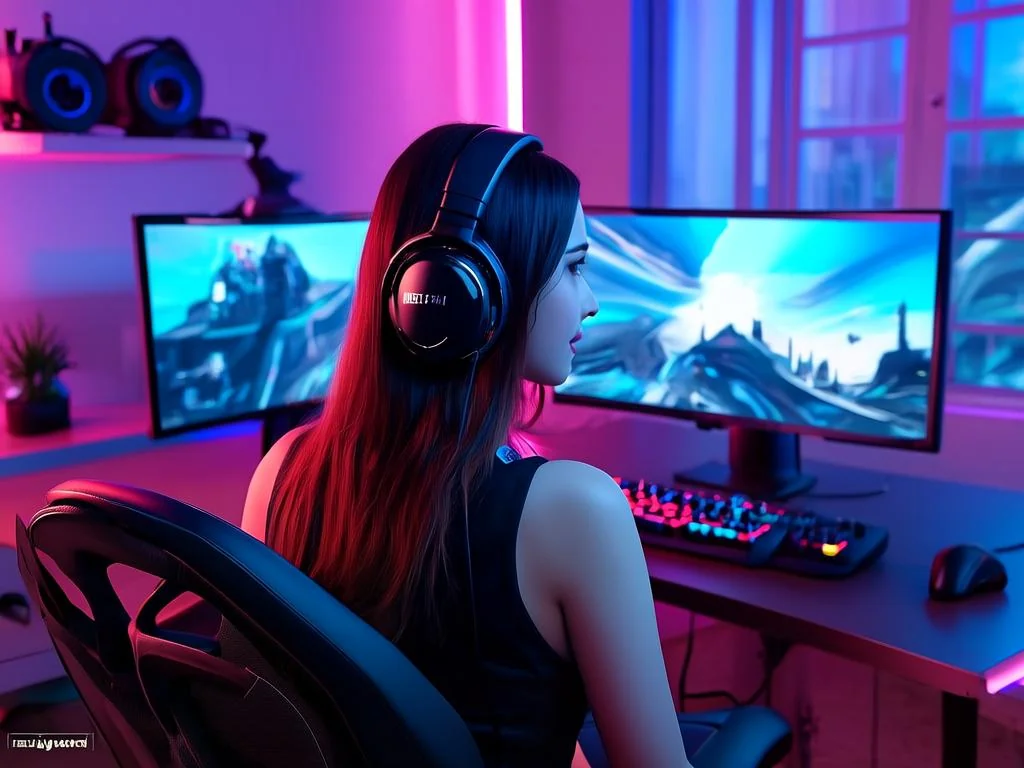
Aligning Gear with Goals: Your Streamer Profile and Headset Choices
The "perfect" headset doesn't exist for everyone. Your choice should be deeply informed by your content, game types, and streaming habits. Let's look at two common streamer profiles:
Scenario 1: The Competitive FPS Pro (or Aspiring One)
Streamer: Alex, playing Valorant, CS:GO, Apex Legends 5 nights a week, often for 4-6 hour stretches. He already has a decent standalone condenser mic for voice-overs and main commentary.
Alex's Priorities:
- Top: Audio Clarity & Positional Audio: Hearing footsteps, reload sounds, and environmental cues is critical for competitive advantage. Virtual 7.1 or even well-implemented stereo with a wide soundstage is key.
- High: Comfort: Long sessions demand a lightweight, breathable design that won't cause hotspots or pressure.
- Medium: Mic Quality: Since Alex has a dedicated mic, the headset mic is mainly for team comms during intense moments or as a quick backup. It needs to be clear enough for teammates, but broadcast quality isn't paramount.
Alex's Headset Considerations: He might lean towards lightweight open-back headphones (for soundstage and breathability) paired with a separate ModMic, or a gaming headset known for excellent positional audio and comfort, even if its built-in mic is only "good" instead of "great." He'd value durable, easily replaceable ear pads.
Scenario 2: The Chill Storyteller & Variety Streamer
Streamer: Maya, playing indie narrative games, older RPGs, and doing "just chatting" segments. Her streams are typically 2-3 hours, 3 times a week. She doesn't have a separate mic budget yet.
Maya's Priorities:
- Top: Microphone Quality: Her commentary and reactions are central to her content. Viewers need to hear her voice clearly, warmly, and with minimal background noise. The headset mic *is* her primary broadcast mic.
- High: Comfort: While her sessions are shorter, she still wants a comfortable experience that doesn't distract from immersion.
- Medium: Audio Quality: Good stereo sound for immersion in game worlds is important, but competitive positional audio is less critical. Balanced audio for music and dialogue is preferred.
Maya's Headset Considerations: She would prioritize gaming headsets renowned for having surprisingly excellent built-in microphones, perhaps even looking at options from brands known for audio production. Comfort is still key, but she might accept a slightly heavier headset if the mic quality is a significant upgrade. Noise-cancelling mic features would be a bonus for her home environment.
Beyond the Boom Arm: When Headset Mics Make Sense (and When They Don't)
It's a perennial debate: "Can a gaming headset mic truly be good enough for streaming?" The answer is nuanced.
- When They Make Sense:
- Budget Constraints: If you're starting out and can't afford a quality standalone mic, a good headset is a fantastic all-in-one solution.
- Space Saving: A headset takes up less desk real estate than a mic on an arm.
- Simplicity: Plug-and-play ease, fewer cables, less setup time.
- Portability: Great for traveling or streaming from different locations.
- Team Comms Focus: If your primary mic use is for in-game communication where clarity is more important than broadcast-grade fidelity.
- When a Dedicated Mic is Superior:
- Broadcast Quality: For that rich, professional sound, a dedicated condenser or dynamic microphone (XLR or high-end USB) will almost always outperform a headset mic.
- Noise Rejection: Dedicated mics often have better pickup patterns (cardioid, hypercardioid) and can be positioned more optimally to reject room echo or background noise.
- Flexibility: You can choose the exact mic that suits your voice and environment, use advanced audio processing (EQ, compression, gates) more effectively, and upgrade components independently.
- Longevity: If your headset breaks, you don't lose your mic.
The Takeaway: If you're serious about growing your stream and want the best audio quality, a dedicated microphone should be on your upgrade path. However, a well-chosen gaming headset can certainly get you started with perfectly acceptable audio. Look for headsets that specifically highlight their mic technology, often with certifications from Discord or TeamSpeak, or those with detachable mics.
Community Check-In: Common Headset Hurdles for Creators
Browsing creator forums and subreddits, a few common pain points regarding headsets surface repeatedly, highlighting the challenges streamers face:
- "My headset mic sounds muffled/tinny/like I'm in a tunnel." This is a constant complaint, especially from newer streamers. The expectation is that a premium headset comes with a premium mic, but that's not always the case. Creators often struggle with balancing game volume and mic volume without their voice sounding compressed or distant.
- "After two hours, my ears are sweating/head hurts." Comfort during extended wear is a huge deal. Many creators express frustration with headsets that feel great for an hour but become unbearable later, leading to them constantly adjusting or removing the headset, which breaks immersion.
- "Should I upgrade my headset or get a separate mic first?" This is a recurring budget and priority question. Many streamers want to know if a high-end headset can genuinely replace a standalone mic, or if it's always better to split the budget. The consensus often leans towards a good mid-range headset for comfort and game audio, paired with an entry-level dedicated mic, if budget allows.
- "Wireless vs. Wired: Is the latency noticeable for streaming?" While convenience is appealing, some competitive streamers worry about audio latency with wireless options. For most casual or even semi-pro streams, modern wireless headsets have imperceptible latency, but the concern persists, particularly around battery life and charging routines.
Your Headset Decision Framework
Before you hit "Add to Cart," run through these questions to narrow down your options:
- What's your absolute max budget? (Be realistic. A good headset is an investment.)
- How many hours do you typically stream per session? (2 hours vs. 6 hours drastically impacts comfort needs.)
- What types of games do you primarily stream? (Competitive FPS vs. narrative RPGs vs. creative streams.)
- Do you already have (or plan to get) a dedicated microphone?
- If YES: Your headset mic priority drops; focus on comfort & audio.
- If NO: Headset mic quality becomes your #1 or #2 priority.
- What's your current home environment like? (Quiet room vs. noisy background – affects mic noise cancellation needs.)
- Are you prone to ear sweat or head pressure? (Guides ear cup material and clamping force preferences.)
- Do you need wireless convenience or prefer the reliability of wired? (Consider battery anxiety vs. cable management.)
Keeping Your Comms Clear: Maintenance and Future-Proofing
Investing in a good headset is only half the battle; maintaining it keeps it performing optimally for your streams.
- Regular Cleaning: Ear pads collect sweat, oils, and dust. Gently wipe them down after each long session with a slightly damp cloth (check manufacturer guidelines for material). For velour, a lint roller or soft brush can help.
- Cable Management: If wired, route your cable safely to avoid snagging, tangles, and stress on the connection points. Replace frayed cables if they're detachable.
- Ear Pad Replacement: Ear pads wear out, affecting both comfort and sound isolation. Many reputable brands offer replacement pads. Swapping them out can breathe new life into an aging headset. Consider aftermarket pads from third parties for different materials (e.g., cooling gel, thicker foam).
- Firmware and Software Updates: Gaming headsets often have companion software. Periodically check for firmware updates, which can improve sound quality, mic performance, and fix bugs. Keep your audio drivers updated too.
- Mic Hygiene: If your headset has a pop filter on the mic, keep it clean. If not, consider adding a small foam windscreen to reduce plosives and keep the mic element clean.
- Storage: When not in use, hang your headset on a stand or store it safely to prevent damage to the headband or ear cups. Avoid leaving it lying around where it can be crushed or collect dust.
2026-04-10