You’ve invested in a good camera, a clear mic, and your stream overlays are dialed in. But does your on-camera presence still feel... flat? Or maybe you're battling harsh shadows that make you look like you're streaming from a dungeon? The truth is, even the most expensive gear can't fix bad lighting. A professional look starts with how you're lit, and understanding the core principles of key, fill, and backlights is your blueprint for creating depth, dimension, and a polished presentation that stands out.
This guide isn't about buying the priciest gear. It's about strategically using light to sculpt your on-screen persona, ensuring you look your best whether you're gaming, chatting, or showcasing your latest creation. We'll strip away the jargon and focus on how to implement a foundational three-point lighting setup that elevates your stream from amateur hour to prime time.
Beyond the Flat Screen: Why Three Lights?
Most new streamers start with one light, often a ring light or a desk lamp pointed directly at their face. While this might eliminate some shadows, it often results in a "flat" image, lacking depth and making you blend into your background. This is because light coming directly from the front flattens features and eliminates the natural shadows that define shape.
The three-point lighting system, borrowed from traditional photography and videography, is designed to solve this. It uses three distinct light sources—a key light, a fill light, and a backlight—each with a specific purpose, to create a well-rounded, professional, and visually appealing image. It’s about more than just brightness; it’s about controlling shadows, adding dimension, and separating you from your environment.
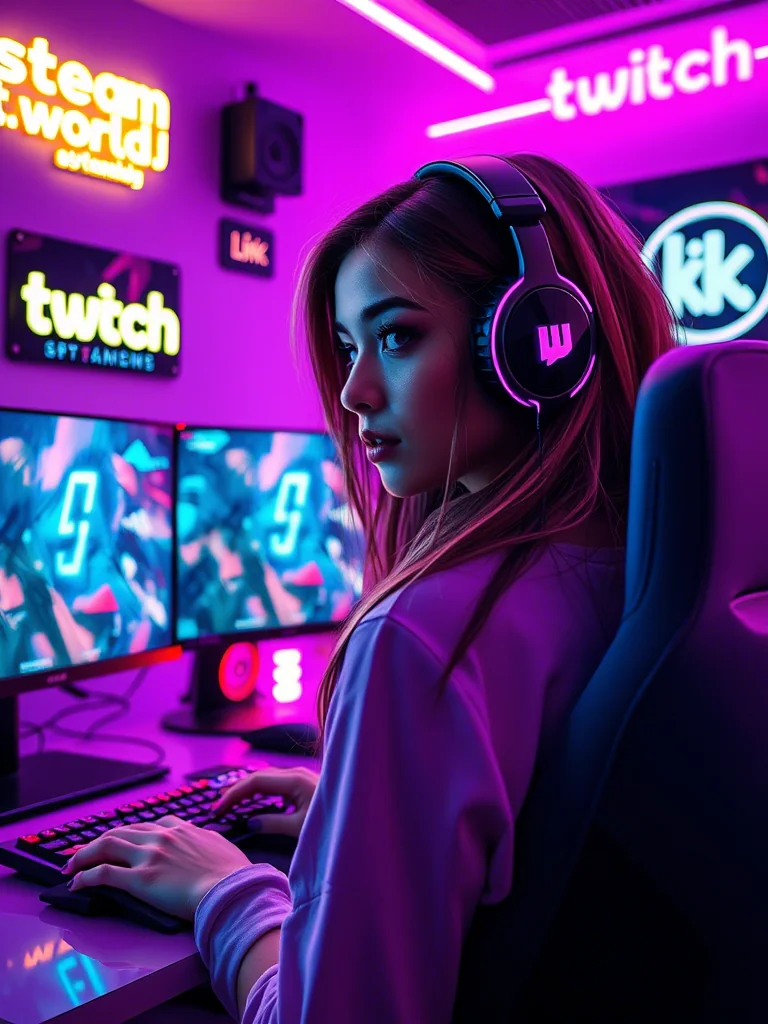
Deconstructing the Three-Point System: Purpose and Placement
Let’s break down each component and how to position it for maximum impact.
1. The Key Light: Your Main Illuminator
- Purpose: This is your primary light source, providing the most illumination and defining your main features. It dictates the overall mood and exposure of your shot.
- Placement: Position your key light to one side of your camera, typically at a 45-degree angle to your face and slightly above eye level, pointing down. This angle creates natural shadows that add depth and dimension to your face, making you look less flat. For many streamers, angling it "45 degrees from your face (facing towards the monitor) can take it up to 60 degrees if you must" is a great starting point for finding that sweet spot.
- What to look for: A softbox, panel light, or even a diffused LED light works well here. The goal is soft, flattering light, not a harsh spotlight.
2. The Fill Light: Softening Shadows
- Purpose: The fill light is there to soften the shadows created by the key light. It reduces contrast and helps reveal details that might otherwise be lost in deep shadow, without flattening your image completely.
- Placement: Position the fill light on the opposite side of your camera from the key light. It should be less intense than your key light, often at half the power or diffused more heavily. Its angle will mirror the key light, but its primary job is to gently lift shadows, not create new ones.
- What to look for: A smaller LED panel, a diffused lamp, or even natural window light can serve as a fill. Many streamers use a reflector to bounce some of the key light back as a soft fill, which is a cost-effective solution.
3. The Backlight (Hair Light/Rim Light): Adding Separation
- Purpose: Also known as a hair light or rim light, the backlight is crucial for separating you from your background. It creates a subtle halo or outline around your shoulders and head, adding depth and preventing you from blending into the scene behind you.
- Placement: Position the backlight behind you, opposite the camera, pointing towards the back of your head and shoulders. Be careful not to let it shine directly into the camera lens, which can cause lens flare. You might need to experiment with height and angle to achieve a pleasing rim of light without being distracting.
- What to look for: A smaller LED light, often with a narrower beam, works well for a backlight. RGB lights are popular here for adding a splash of color to your outline.
Real-World Application: The Home Studio Scenario
Imagine Maya, a gaming streamer, working from a small bedroom setup. She started with just a ring light, but her glasses always caught glare, and her face looked overly bright and flat. She decided to upgrade her lighting.
- Key Light: Maya placed a small LED panel with a softbox attachment to her left, angled at about 50 degrees from her face, slightly above her webcam. This created a nice, soft light on her face with subtle shadows that gave her features definition.
- Fill Light: On her right, she used a smaller, less intense LED light, also diffused. She experimented with its power until it gently lifted the shadows on the right side of her face without making her look flat again. She also tried bouncing some of the key light off a white poster board on her right for a super soft fill.
- Backlight: Behind her, slightly to her left (opposite her key light), she positioned a small, color-changing LED strip light on a stand. She aimed it carefully so it cast a soft blue glow around the back of her head and shoulders, separating her from her plain white wall background.
The result? Maya looked more vibrant and professional, her face had depth, and the glare on her glasses was significantly reduced because the lights weren't hitting her directly from the front. Her stream instantly felt more polished.
Community Take: The Ring Light Debate and Practical Wisdom
When it comes to lighting, especially for those just starting, ring lights are often the first recommendation. But they come with their own set of considerations, and the community has strong opinions.
Many streamers express frustration with ring lights, especially regarding glare and a "flat" look. As one creator noted, "I personally just dislike ring lights and try to bounce light off of my wall. You literally are shining a light into eyes for an extended period of time." This sentiment is common, highlighting the eye strain and unnatural look direct frontal lighting can cause. For those who do use them, there's a practical tip: "For a webcam use a ring that has a larger diameter - there will be more light from the sides and not so much directly from the front." This helps mitigate the direct eye assault and spreads the light more evenly.
The core takeaway from these discussions is that while a single light might be a start, strategic placement and diffusion are key. Bouncing light off walls or using diffusers transforms harsh light into something softer and more flattering, aligning with the principles of good key and fill lighting.
Maintaining Your Glow: What to Re-Check Over Time
Your lighting isn't a "set it and forget it" component. Regular checks ensure you always look your best.
- Seasonal Light Changes: Natural light from windows can significantly impact your setup. A strong afternoon sun can blow out one side of your face, while a cloudy day might require more intensity from your artificial lights. Adjust your artificial lights or use curtains/blinds to manage natural light.
- New Gear or Setup Changes: Did you get a new monitor, move your desk, or change your camera's position? Even minor adjustments can throw off your carefully balanced lighting. Always do a quick test stream or recording after any change.
- Background Updates: Changing your background, adding decor, or even a new chair can affect how your backlight interacts with the scene. Ensure your backlight is still effectively separating you without creating unwanted shadows on your new elements.
- Power and Heat: Over time, some LED panels can lose intensity or change color temperature, especially cheaper models. Keep an eye on consistent output. Also, ensure your lights aren't overheating, which can shorten their lifespan.
- Dust and Diffusion: Dust can accumulate on light panels and diffusers, reducing their effectiveness and potentially creating odd shadows. Give them a gentle wipe down occasionally. Check your diffusion materials for wear and tear, replacing them if they become damaged.
Mastering lighting is an iterative process. Start with the three-point system, refine it based on your space and gear, and never stop experimenting. Your on-screen presence will thank you.
2026-03-29