The streaming equipment market is designed to confuse you. Companies want you to believe you need $3000 worth of gear to start. That is nonsense.
I have consulted with hundreds of streamers at every budget level. I have personally tested equipment from $50 webcams to $2000 camera setups. And here is the truth: audio matters 10x more than video, and neither matters if nobody is watching.
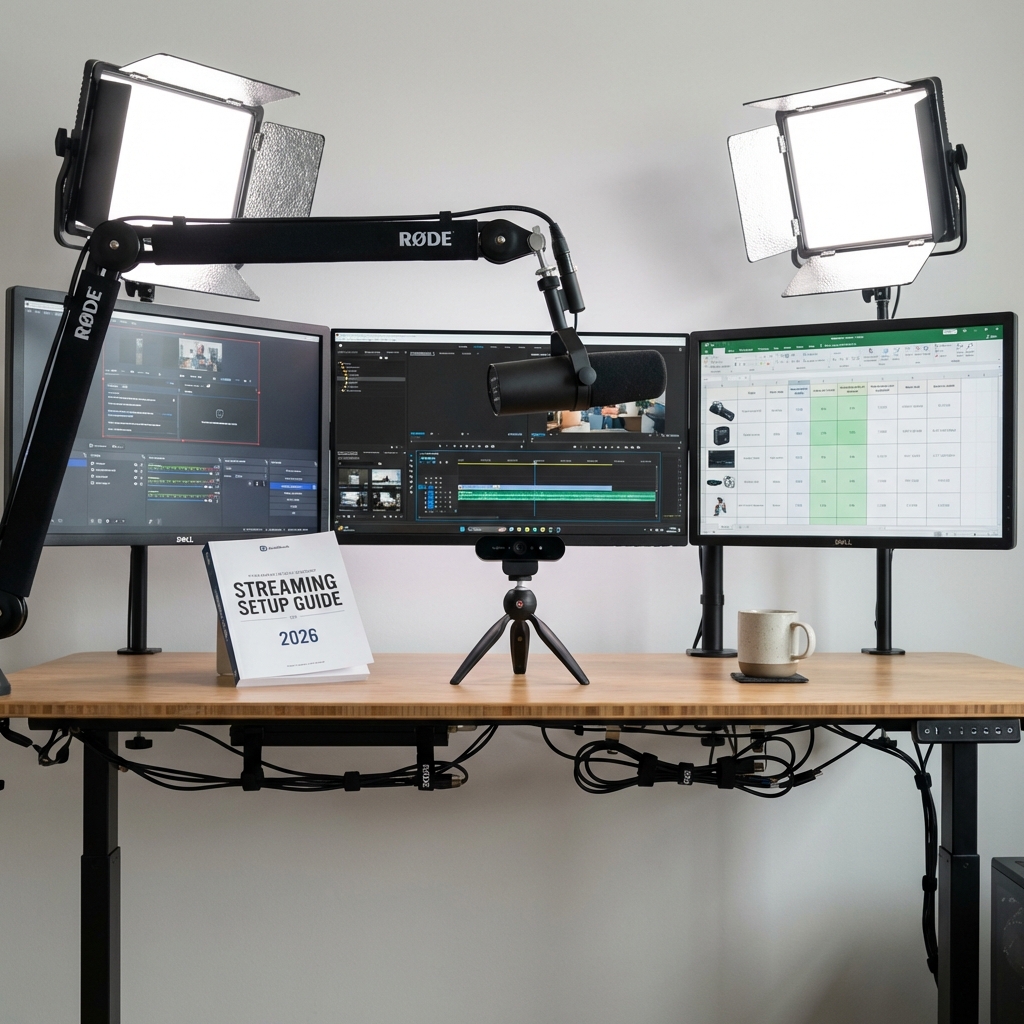
The Three Budget Tiers That Actually Make Sense
Tier 1: Starter Setup ($150-300)
Goal: Prove streaming works for you before major investment
Microphone: Blue Snowball Ice ($50) or Fifine K669B ($35)
- Why: Clear audio is non-negotiable. These deliver broadcast-quality sound for minimal cost
- Avoid: Gaming headset mics — viewers WILL complain
Camera: Logitech C920 ($70) or phone via DroidCam/EpocCam (free)
- Why: 1080p is enough. Nobody cares about 4K at small viewer counts
- Phone camera tip: Often better than budget webcams
Lighting: Desk lamp with daylight bulb ($15) or Neewer ring light ($40)
- Why: Good lighting makes budget cameras look professional
Software: OBS Studio (free)
- Why: Industry standard, infinite customization, zero cost
Total: $150-200
Tier 2: Serious Setup ($500-1000)
Goal: Professional quality without bankruptcy
Microphone: Audio-Technica AT2020 USB+ ($150) or Shure MV7 ($250)
- Why: Noticeable audio upgrade. Viewers actively comment on quality
- Add: Boom arm ($30-80) for better positioning
Camera: Logitech Brio ($150) or Canon M50 with capture card ($600-800)
- Why: Brio = plug-and-play 4K. M50 = cinematic quality if you learn settings
Lighting: Elgato Key Light ($130) or two-panel softbox kit ($100)
- Why: Controlled professional lighting eliminates shadows
Total: $500-900
Tier 3: Professional Setup ($2000+)
Microphone: Shure SM7B with interface ($500+)
Camera: Sony A6400 or similar mirrorless ($900+)
Lighting: Multi-light professional setup ($300+)
Why these exist: Marginal improvements at high cost. Only worth it if streaming is full-time income.
What Most Guides Get Wrong
Myth 1: You Need a Capture Card
Truth: Only if using DSLR camera OR console gaming. PC streamers streaming PC games? OBS handles everything natively.
Myth 2: More Expensive = Better Quality
Truth: A $50 mic in a quiet room beats a $300 mic in a noisy environment. Environment matters more than gear.
Myth 3: You Need a Dedicated Streaming PC
Truth: Modern GPUs (RTX 3060+, RX 6700+) have dedicated encoding chips. Dual PC is overkill unless streaming competitive esports at 240fps.
The Equipment Nobody Talks About
Acoustic Treatment ($50-150)
Foam panels or blankets reduce echo. More noticeable improvement than upgrading mics.
Cable Management ($20)
Velcro straps and cable runners. Unprofessional setups scream amateur.
Second Monitor ($100-200)
Game on one, chat/dashboard on other. Massively improves stream interaction.
The Real Equipment Problem: Visibility
Here is what nobody admits: perfect equipment streaming to zero viewers is worthless.
I have seen streamers with $5000 setups averaging 3 viewers. I have seen streamers with $200 setups averaging 150 viewers.
The difference? The latter understood that equipment gets you quality, but visibility gets you viewers.
Many successful streamers I have worked with invest more in strategic visibility (like using services such as streamhub.shop to establish initial viewership) than in marginal equipment upgrades.
Logic: spending $300 on slightly better lighting helps viewers you already have. Spending $300 on visibility helps you GET viewers who can appreciate any lighting.
My Recommended Upgrade Path
Month 1-3: Starter tier equipment + visibility investment
- Prove you can stream consistently
- Use services to escape 0-viewer algorithm burial
- Total: $150-200 equipment + $100-200 strategic visibility
Month 4-6: Upgrade microphone first
- Noticeable quality jump
- Viewers specifically comment on audio improvements
- Cost: $150-250
Month 7-12: Upgrade camera and lighting
- Visual polish for established community
- Cost: $200-400
Year 2+: Professional tier IF sustainable income justifies it
Equipment by Platform
Twitch/Kick Streaming
- Minimum: Tier 1 setup
- Target: Tier 2 within 6 months
- Professional: Only if 100+ avg viewers
YouTube Live
- Higher visual standards expected
- Start Tier 2 if possible
- VOD quality matters more here
Trovo
- Tier 1 perfectly acceptable
- Lower competition means equipment less critical
The Bottom Line
Equipment enables quality. It does NOT enable discovery.
My philosophy:
- Start cheap to prove commitment
- Invest in visibility alongside equipment
- Upgrade systematically as revenue justifies
- Never let equipment be your excuse to delay starting
The best streaming setup is the one you actually use consistently — not the theoretical perfect setup you are saving money for.